

Welcome to AI Fyndings!
With AI, every decision is a trade-off: speed or quality, scale or control, creativity or consistency. AI Fyndings discusses what those choices mean for business, product, and design.
In Business, Radix shows how brand visibility now lives inside AI-generated answers rather than on traditional search pages.
In Product, Marengo 3.0 makes video searchable and structured, turning scattered footage into something you can actually work with.
In Design, Wan offers controlled, high-fidelity visuals that help teams explore ideas without losing consistency.

AI in Business
Radix AI: Measuring Brand Visibility Inside AI Answers
TL;DR
Radix shows whether your brand appears inside AI-generated answers. It is an early AEO signal that helps you understand if AI tools include you in the conversation.
Basic details
Pricing: Free plan available
Best for: Marketing teams, founders, product teams
Use cases: AEO visibility, competitive benchmarks, topic-level presence
AI has changed how people search. Instead of scanning links, users ask ChatGPT, Perplexity or Google AI a question and get one consolidated answer. That answer becomes the full experience and it is not obvious which brands shaped it.
This is where AEO becomes relevant.
SEO helps you appear on a page.
AEO helps you appear within the answer.
Radix is built around this shift. It tracks how often your brand appears inside AI responses and the topics where those mentions happen. Instead of measuring position, it measures presence. This is becoming the new baseline for visibility as LLM-led search grows.
What’s interesting
Radix surfaces a layer of visibility that most teams do not measure today. It shows whether AI tools mention your brand, how often that happens, how you compare with competitors and which topics you are most associated with. When I looked at the dashboard, I could see how often a brand appeared across ChatGPT, Perplexity, and similar tools, how it ranked within its category, and how its share of voice compared with competitors. It reframes visibility from “what page am I on?” to “do I even show up in the answer?”
This reframes the idea of search visibility. It is no longer about ranking on a page. It is about whether you are part of the answer at all.
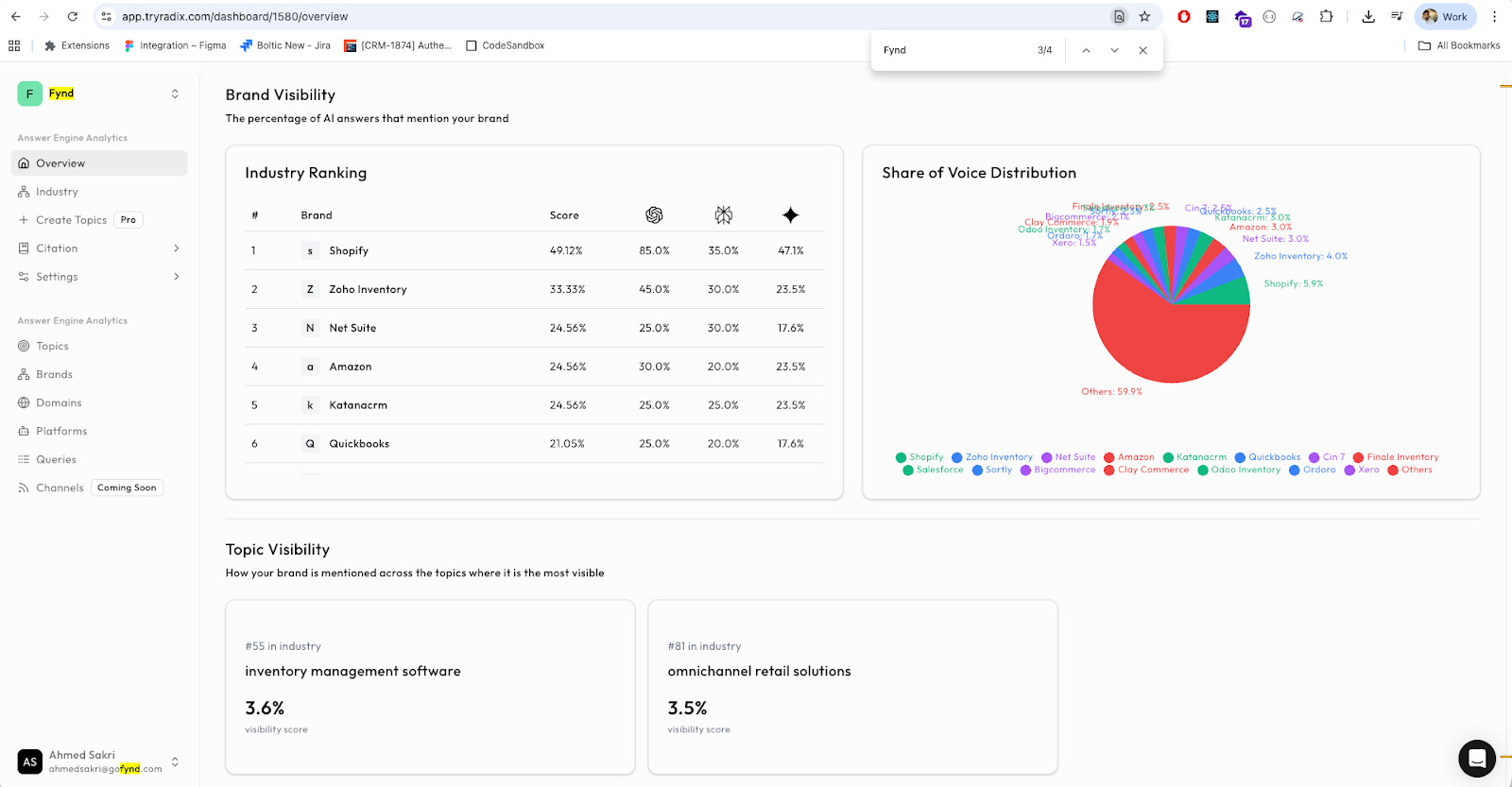
The topic-level breakdown is also useful. It shows which themes your brand is most visible in, such as inventory management or retail technology. This helps differentiate between areas where you genuinely appear and those where you have little or no visibility.
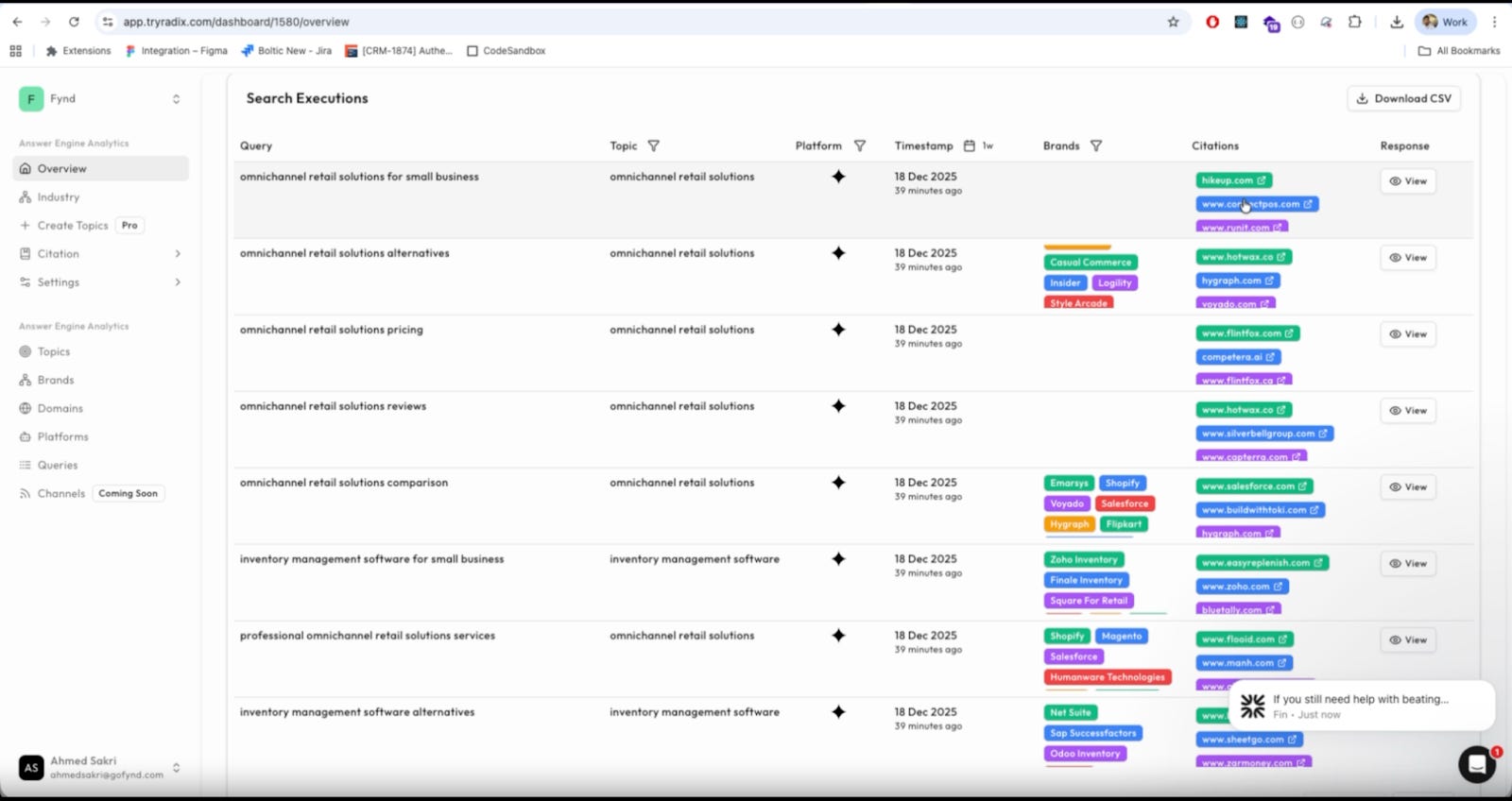
Another really helpful layer is industry ranking. Radix would take up your brand and position it amongst your competitors ranking for the same keyword, making it easier to map which companies make it to the most searches and who barely appears.
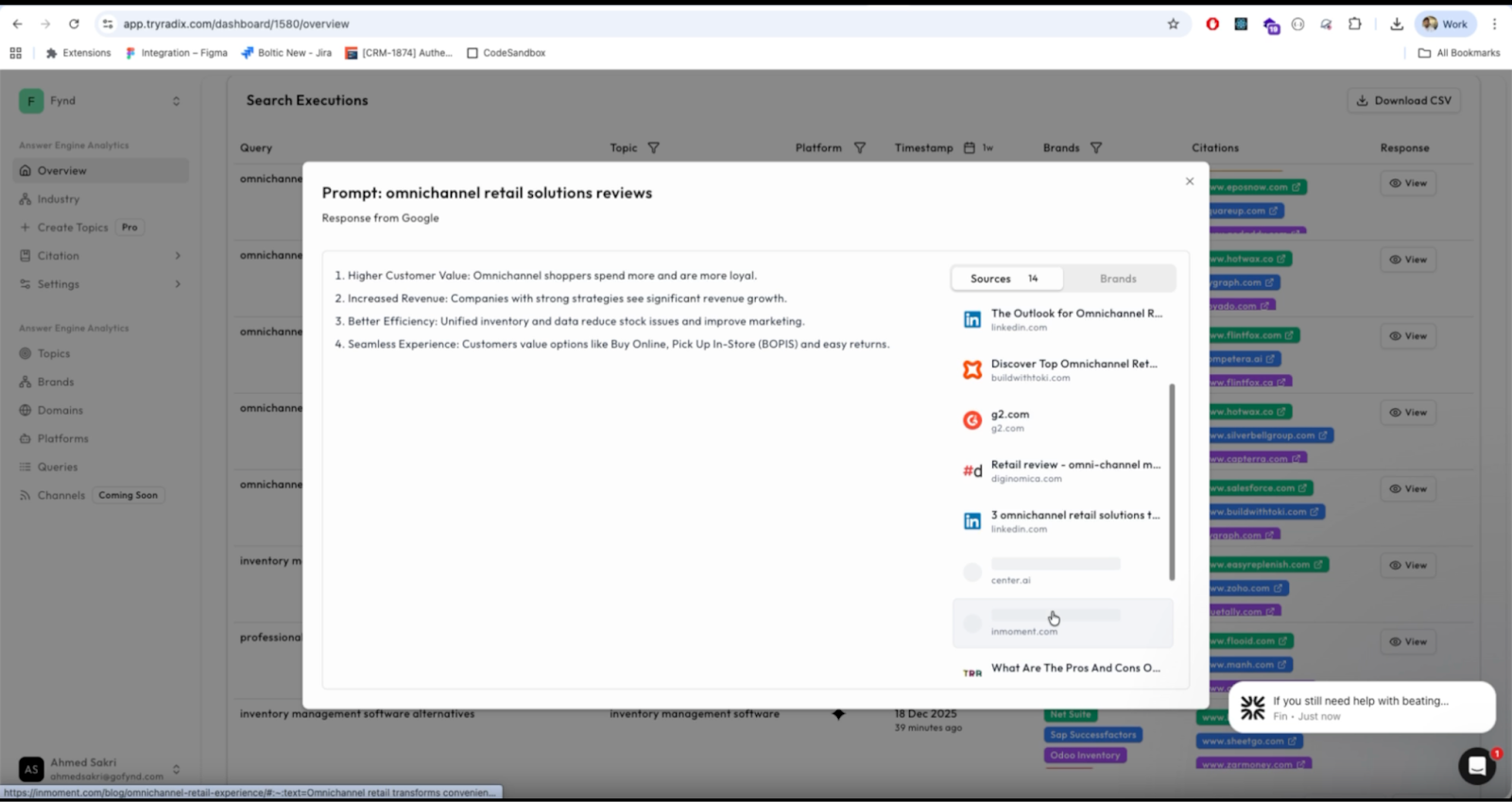
Across these features, Radix feels designed around a simple question: Is your brand part of the AI conversation or not? The framing is new, but it reflects how search behaviour is actually shifting.
Where it works well
Radix works for teams who want to understand how their content performs in generative search. This includes marketing teams, growth teams, founders and SEO teams who want an early read on AEO behaviour.
It is especially useful in industries where users research before purchasing. SaaS, finance, logistics, education and similar categories fall into this group. Users here often rely on AI tools to explore options or compare solutions.
The trend view helps teams understand whether visibility is improving or declining. The competitor view grounds these shifts in context.
Overall, Radix is strongest as an AEO baseline. It tells you if you show up, how often and in which contexts.
Where it falls short
Radix shows when you appeared. It does not explain why.
It does not reveal which queries triggered your mentions or how you were positioned. A mention may be an example, a comparison or a recommendation, but Radix treats all of these equally. This can limit how strategic the insights feel.
Radix also does not break visibility down by intent. Informational queries behave differently from category queries or troubleshooting questions, but the platform combines them into one view.
And while it shows what is happening, it does not offer guidance on how to influence the outcome. Teams still need to interpret the patterns on their own.
What makes it different
Radix is intentionally narrow. It measures AEO visibility and nothing beyond that. It does not analyze prompts, interpret the model’s reasoning or offer optimization advice.
Profound is the tool most similar to Radix in this space. Profound is a diagnostic AEO tool that reveals the prompts and reasoning behind a brand’s mention inside AI answers.
This difference becomes clearer in practice.
Profound explains why a model mentioned a brand. It shows which prompts triggered the mention, how the model interpreted your content and how you were positioned relative to others.
Radix shows if you were mentioned. It focuses on frequency, presence and category share, not reasoning.
Profound helps you understand the logic.
Radix helps you see the signal.
Radix is simpler and easier to adopt, but also more limited. It gives you the what, not the why or the how.
My take
Radix solves a new and necessary problem. It shows whether AI models surface your brand inside the answers they produce. The interface is clean, the comparisons are helpful and the framing matches how search is evolving.
The tool still requires human interpretation. Radix does not explain how you were described or why visibility shifts over time. And because AI-generated answers change often, the signal can feel unstable.
Even so, Radix fills a gap that most teams are not addressing. It does not replace SEO or analytics, but it adds a visibility layer that becomes more important as AI-generated answers become the first place users look.

AI in Product
Marengo 3.0: Video Search That Finally Feels Practical
TL;DR
Marengo makes video searchable and easier to understand. It helps you find key moments across large sets of clips without watching everything manually.
Basic details
Pricing: Free trial available
Best for: Teams handing large or repetitive video collections
Use cases: Video search, dataset exploration, research review, lesson or training analysis
Video has quietly become the default way teams document what they do, from product demos and research recordings to customer calls and internal walkthroughs. But despite how common it is, video remains the least usable format in a workflow. You can skim a document, search a Slack thread, or filter through a dataset, but a video still demands your full attention. You cannot query it, you cannot glance through it, and you rarely know where the information you need actually sits.
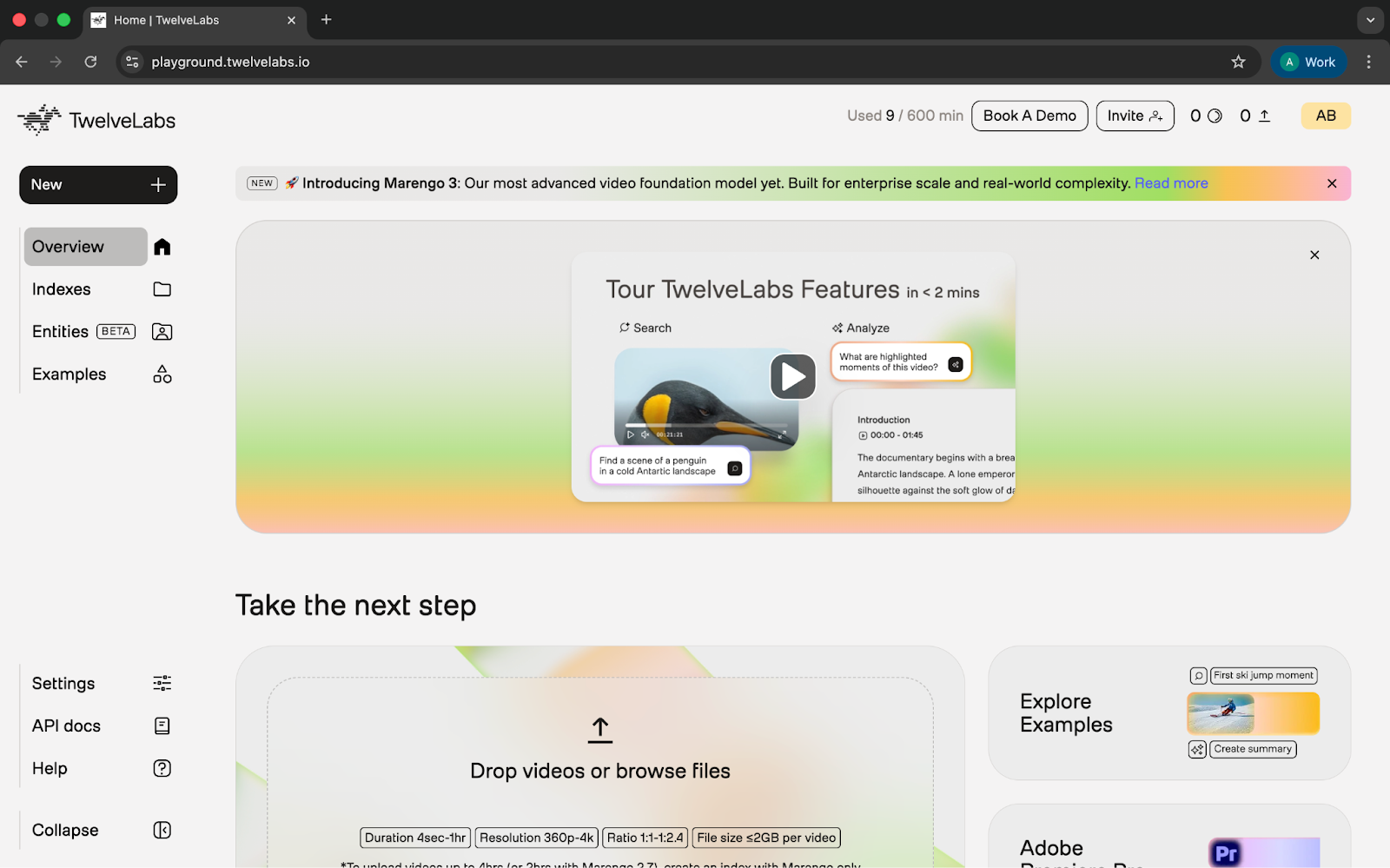
Marengo 3.0 is built to improve that experience. It breaks a video into meaningful pieces, understands what is happening in each scene, and lets you surface those moments using natural language instead of a timestamp scrubber. It can summarize clips, find similar scenes, and map how different videos relate to one another.
What’s interesting
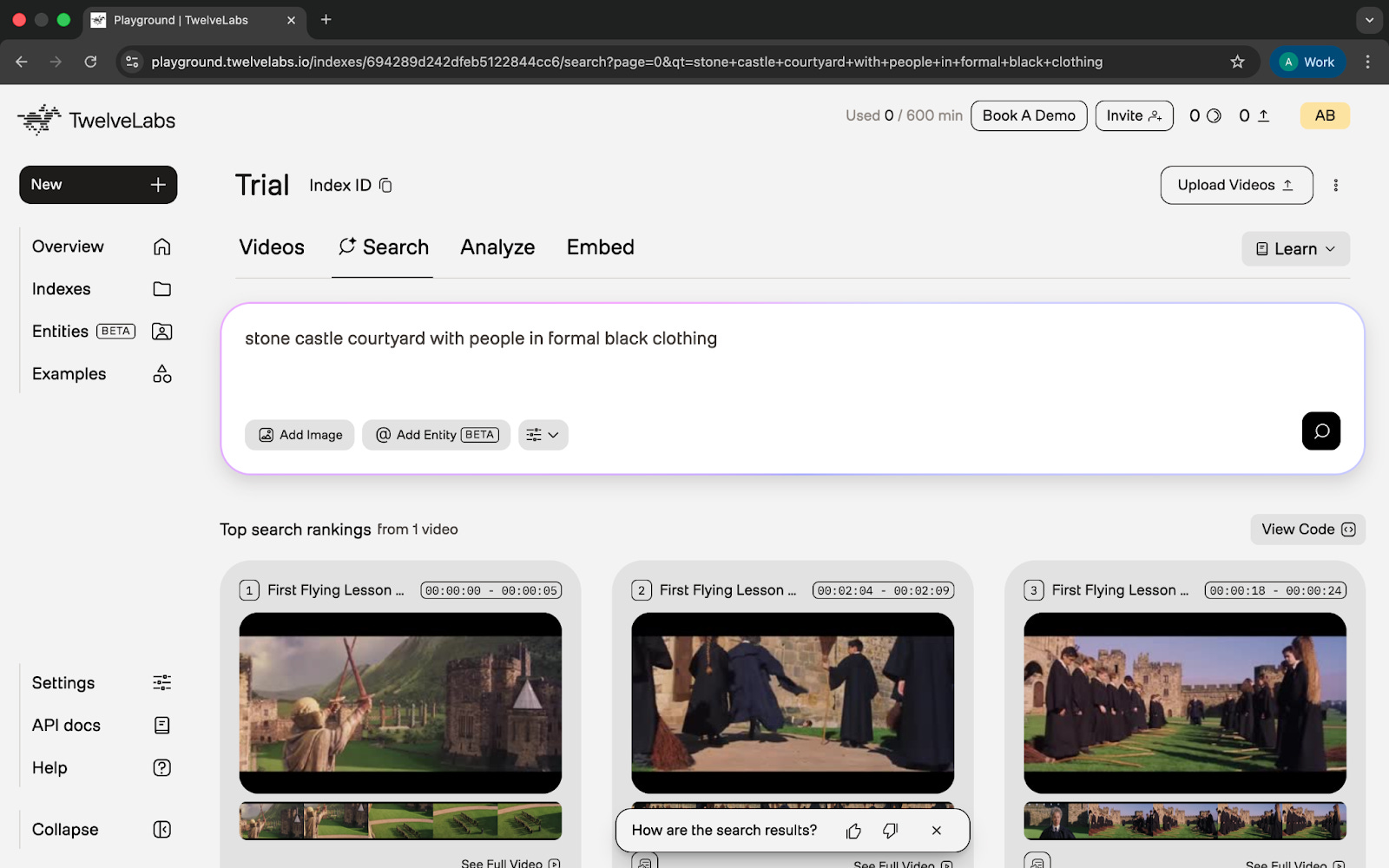
Marengo handles simple prompts surprisingly well. When I typed a short description of the Hogwarts courtyard, it located the correct moment without much trial and error.
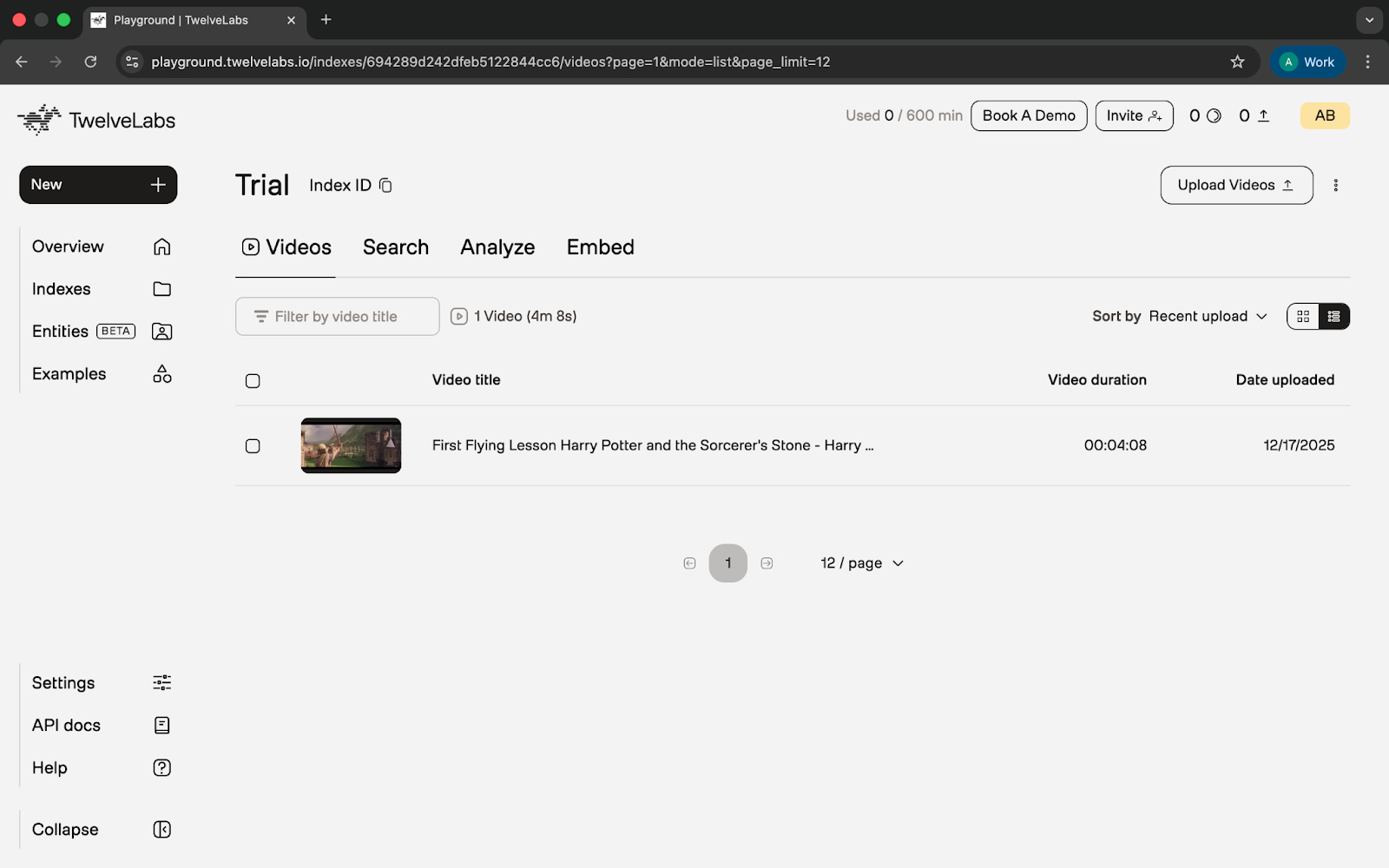
The upload and indexing setup added to this. Each file has to meet specific requirements, and once uploaded, I could group multiple videos into an index. This immediately shifted the experience from handling individual clips to working with a defined dataset, which made the tool feel more like an analysis environment than a basic player.
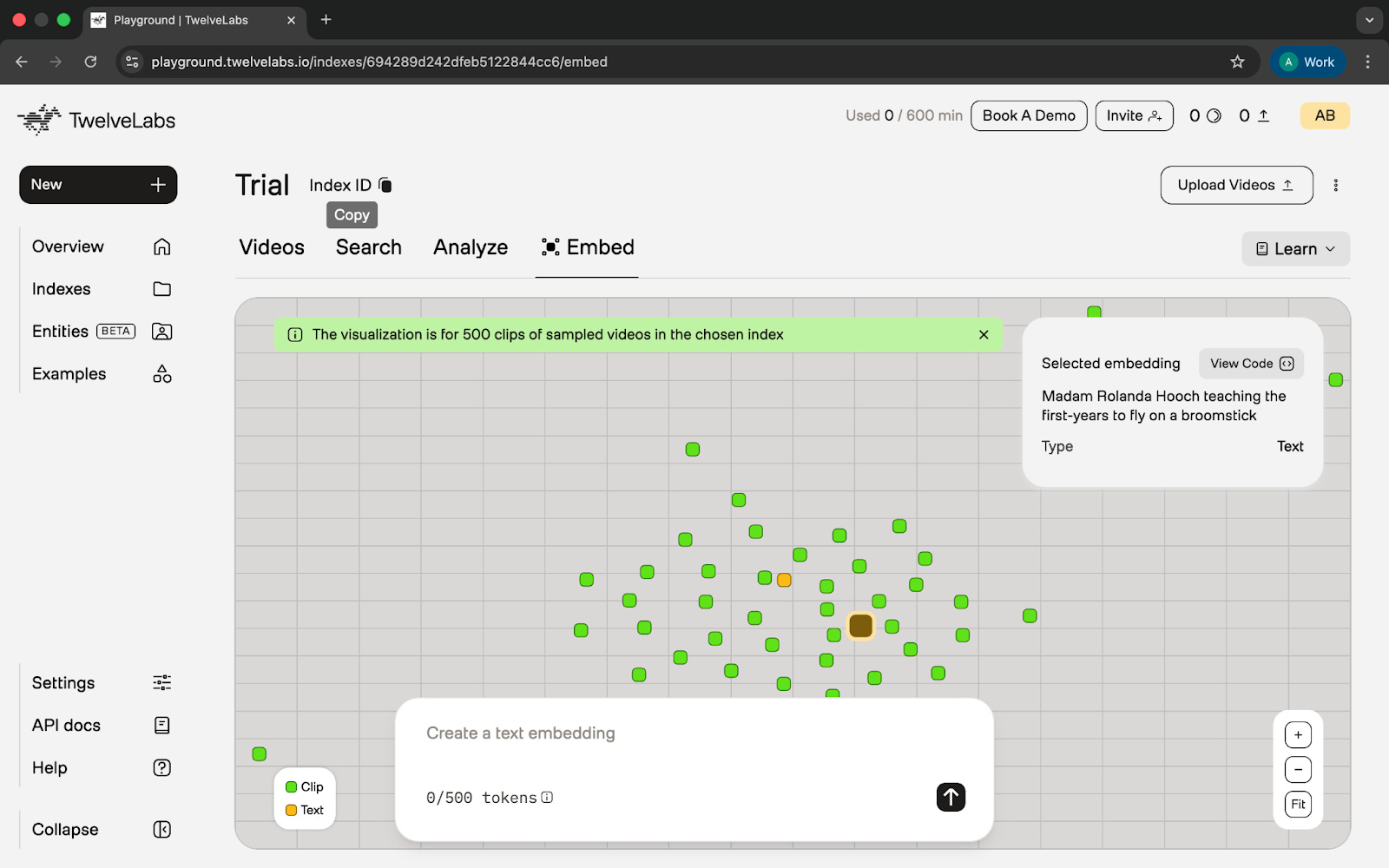
The Embeddings view was another standout. At first the scatter plot looked random, but patterns started to appear once I interacted with it. Similar scenes grouped together, unrelated ones spread apart.
The Analyze feature also stood out, though in a different way. It captured the flow of a scene well enough to avoid rewatching everything, even though some character details were incorrect.
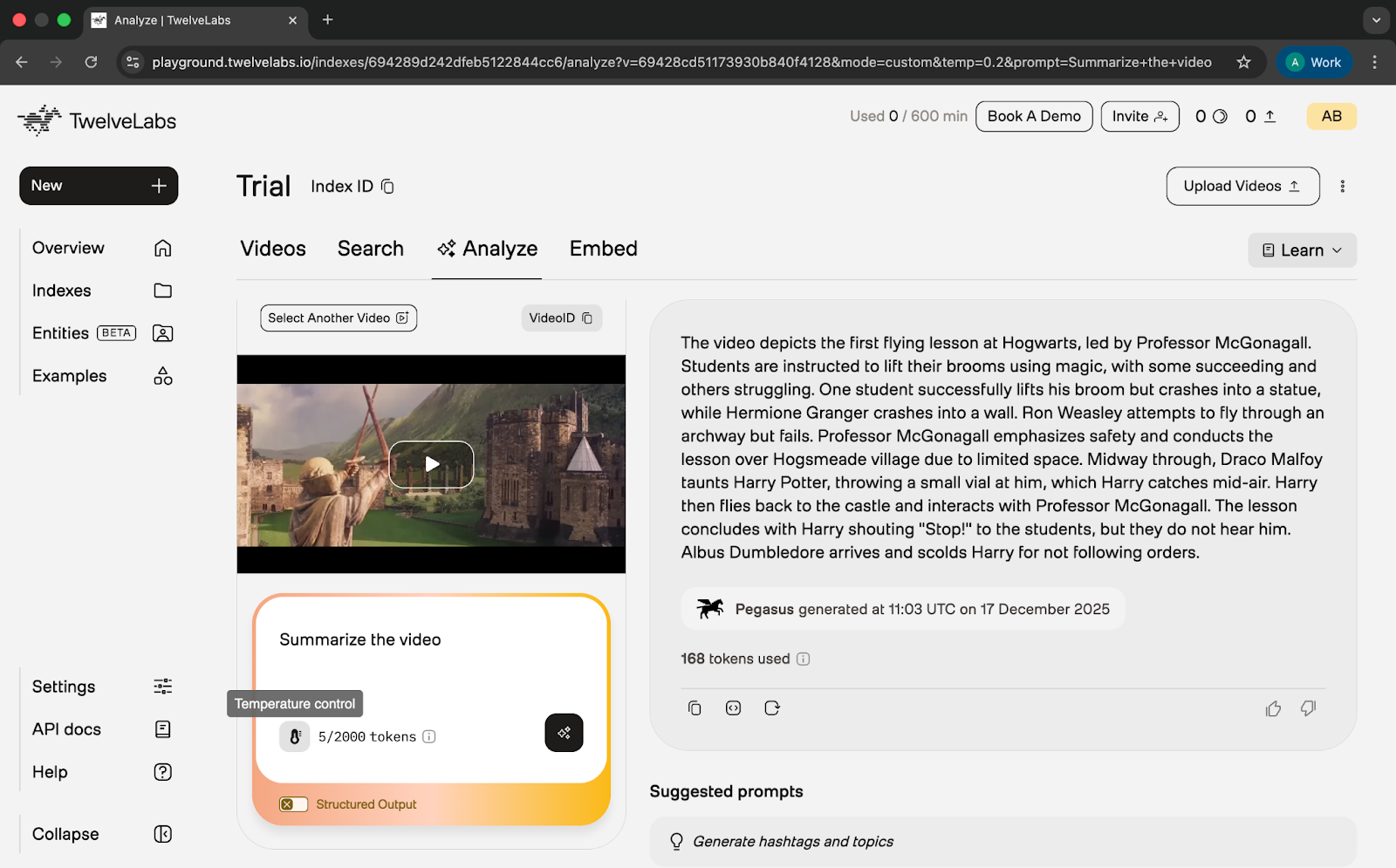
Across these features, Marengo shows structure inside video that you usually cannot see by scrubbing.
Where it works well
Marengo works best when exploring multiple videos inside an index. I could describe a moment and the tool searched across the entire set at once, making it easier to handle raw footage and long recordings.
The embedding view gives a quick overview of variety and repetition across videos. Once you understand the layout, it becomes an effective way to see similarities before digging deeper.
This makes Marengo useful for:
raw shoot review
research footage
lesson recordings
user-generated content
It seems best suited for people who work with video in a functional way rather than a creative one. Product teams, researchers, educators, and anyone handling documentation or reference footage would benefit from being able to search across a set of clips and get an early sense of what the material contains. It is not a tool for finishing touches or production work, but it is helpful in the early stages when you are trying to understand what you have.
Where it falls short
Jumping between pictures wasn’t really smooth. After running a search, I could not directly continue into analysis. I had to manually pick the video again.
Summaries capture the flow of a scene but cannot be trusted for specific details. In the Hogwarts clip, the tool misidentified Madam Hooch as Professor McGonagall.
The embeddings view took time to understand. Some unrelated clips appeared close together, and the interface did not offer deeper cluster controls.
Another practical limitation is that Marengo does not accept URLs. Every video must be downloaded and uploaded manually.
These issues make the workflow feel heavier than necessary.
What makes it different
Marengo focuses on understanding existing video, not creating new footage. Tools like Runway specialise in generation and editing, while Marengo focuses on scene-level analysis and retrieval.
It also works at a finer level of detail. Instead of treating each video as one unit, it breaks it into smaller clips that can be searched and compared.
Overall, Marengo treats video as information, not content, which places it in a very different category from most AI video tools.
My take
Marengo 3.0 is a meaningful step forward, especially with indexing and cross-video search. It makes large collections easier to navigate and handles straightforward prompts reliably. But the product around the model still feels early. The features do not connect smoothly, summaries miss details, and the embed view needs more clarity and control.
Even with these gaps, the direction is right. Marengo is trying to solve a real problem: making video easier to understand. It is not something I would rely on for precise information yet, but it does make exploration faster and more structured. With more refinement, it could become a strong companion for teams who handle video at scale.

AI in Design
Wan: High-Fidelity Video Generation for Designers and Storytellers
TL;DR
Wan creates stable, high-quality images and short videos. It is best for exploring early visual ideas before moving into heavier production tools.
Basic details
Pricing: Free tier available; paid plans vary based on credit usage.
Best for: Designers, content teams, creative strategists
Use cases: Product mood boards, short concept videos, image-to-video, character shots, voice-driven scenes
Most teams experimenting with AI video run into the same problem. The tools rely heavily on open-ended prompts, which produce results that are visually impressive but rarely consistent ones.
Camera motion shifts unpredictably, lighting changes between runs, and characters drift out of frame. This makes it difficult to use AI video in real design or content workflows where reliability matters.
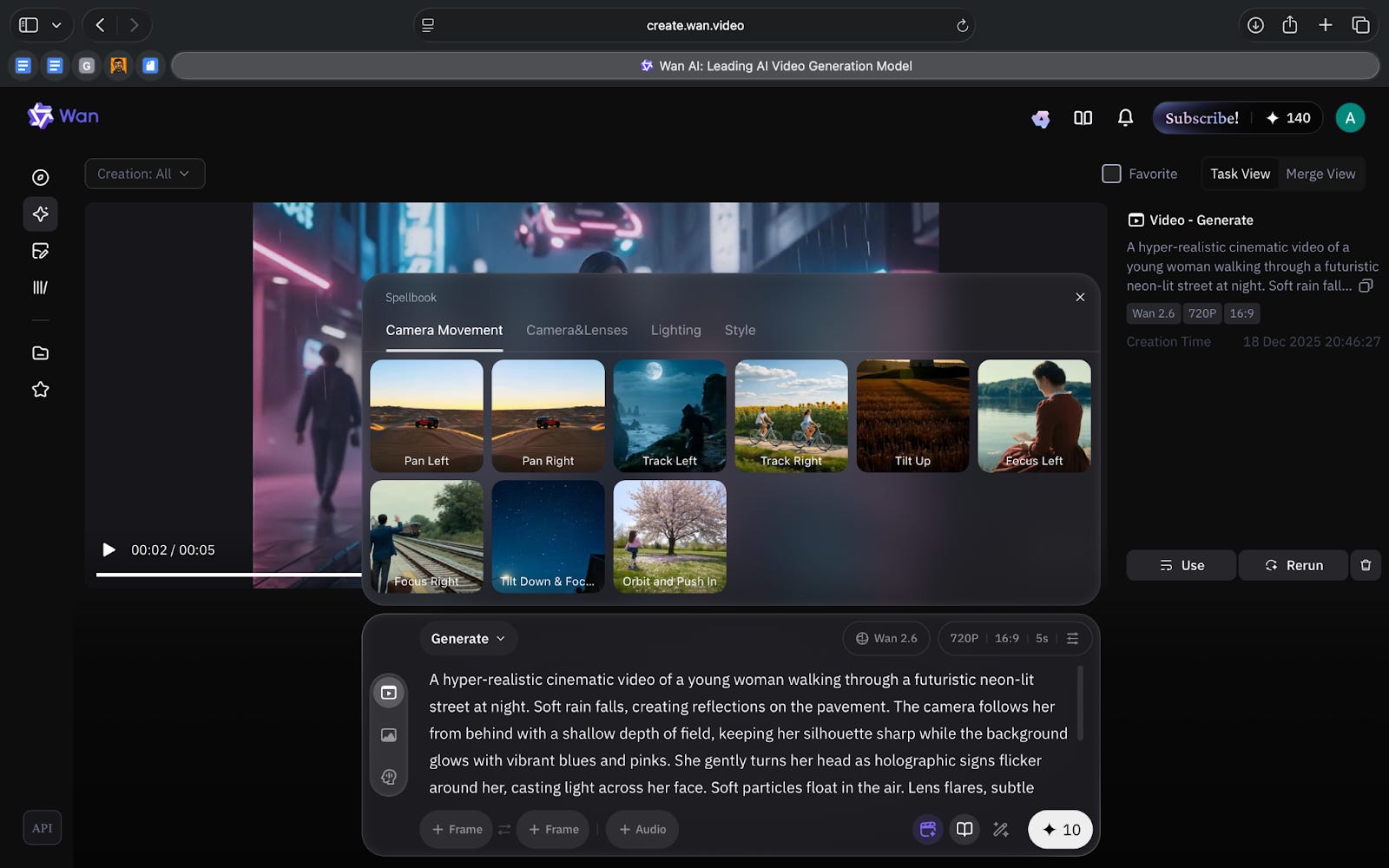
Wan tries to solve this by giving structure to the entire process. Instead of leaving everything to the model, the tool offers fixed camera movements, lighting presets and scene styles that act as boundaries. You decide how the shot behaves and the model fills in the details. This reduces variation and makes the output easier to iterate on.
Wan is a browser-based generator for images and short videos. It focuses on producing stable, high-quality visuals quickly. You can create a still image, turn it into a short clip, or drive a character with audio without switching tools. It is not built for full production, but it is effective for teams who need dependable visuals during planning, exploration or creative reviews.
What’s interesting
Wan is interesting because it makes controls that usually feel complex much easier to use.
The interface shows you exactly which camera moves, lighting setups and aspect ratios are available. This clarity helps reduce trial and error, especially when teams are exploring several directions at once.
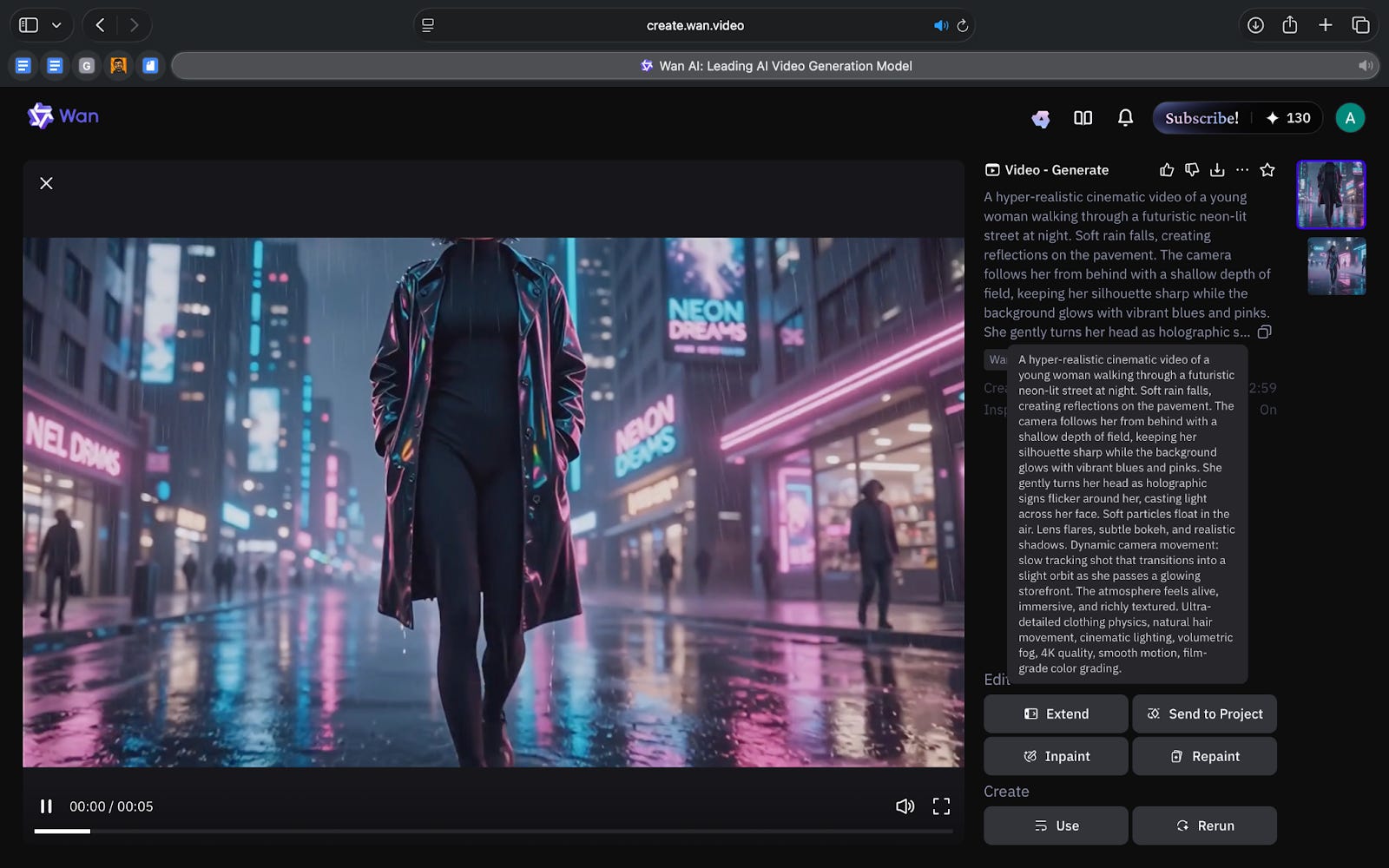
When I tested a 5-second AI video generation, Wan automatically added audio even though I did not provide a script. This was unexpected, but it showed how the tool fills in certain creative elements on its own.
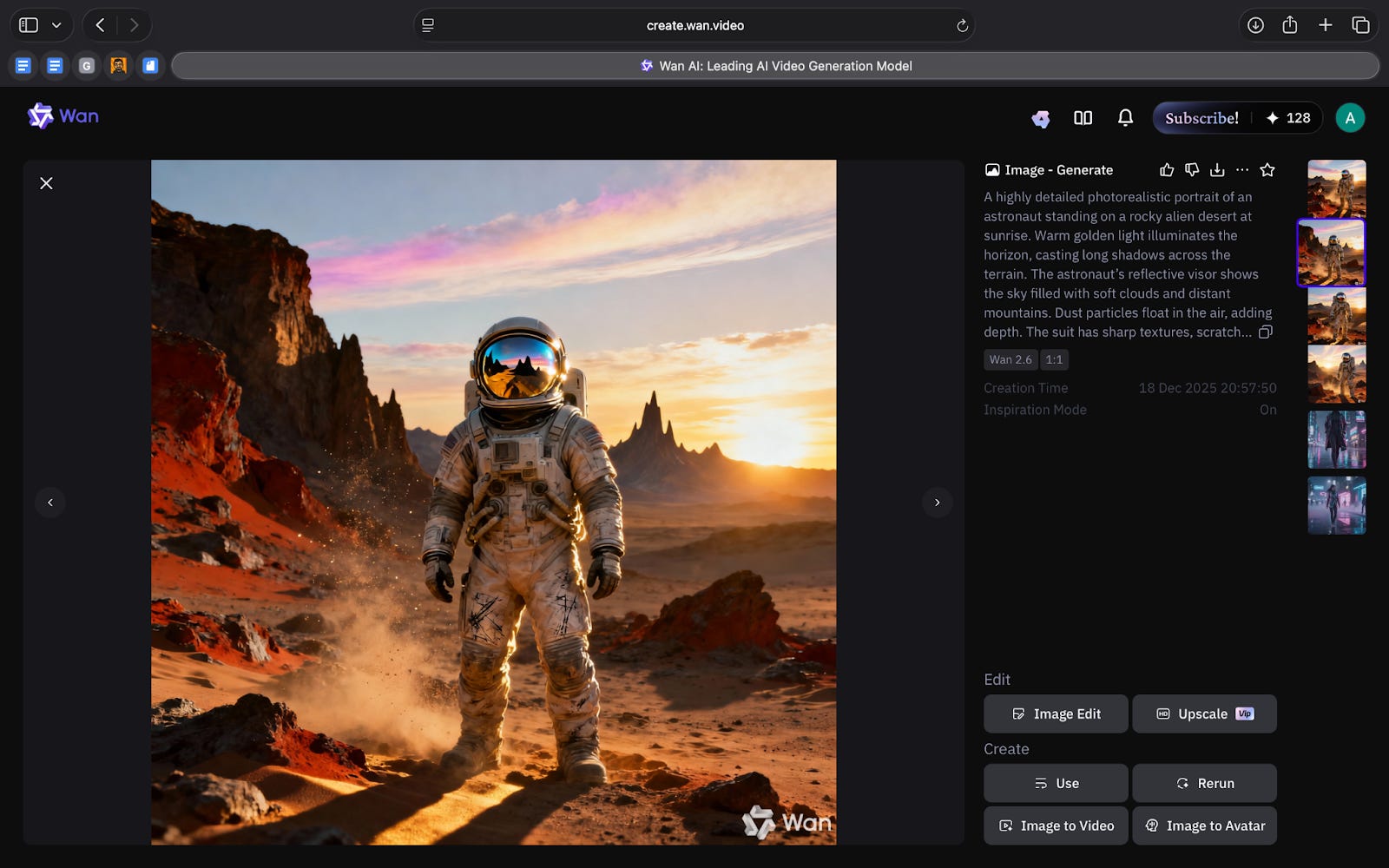
You can generate a still frame, turn it into a short video and quickly test different camera paths or styles without starting over. This makes Wan helpful during creative reviews where multiple versions of an idea need to be evaluated side by side.
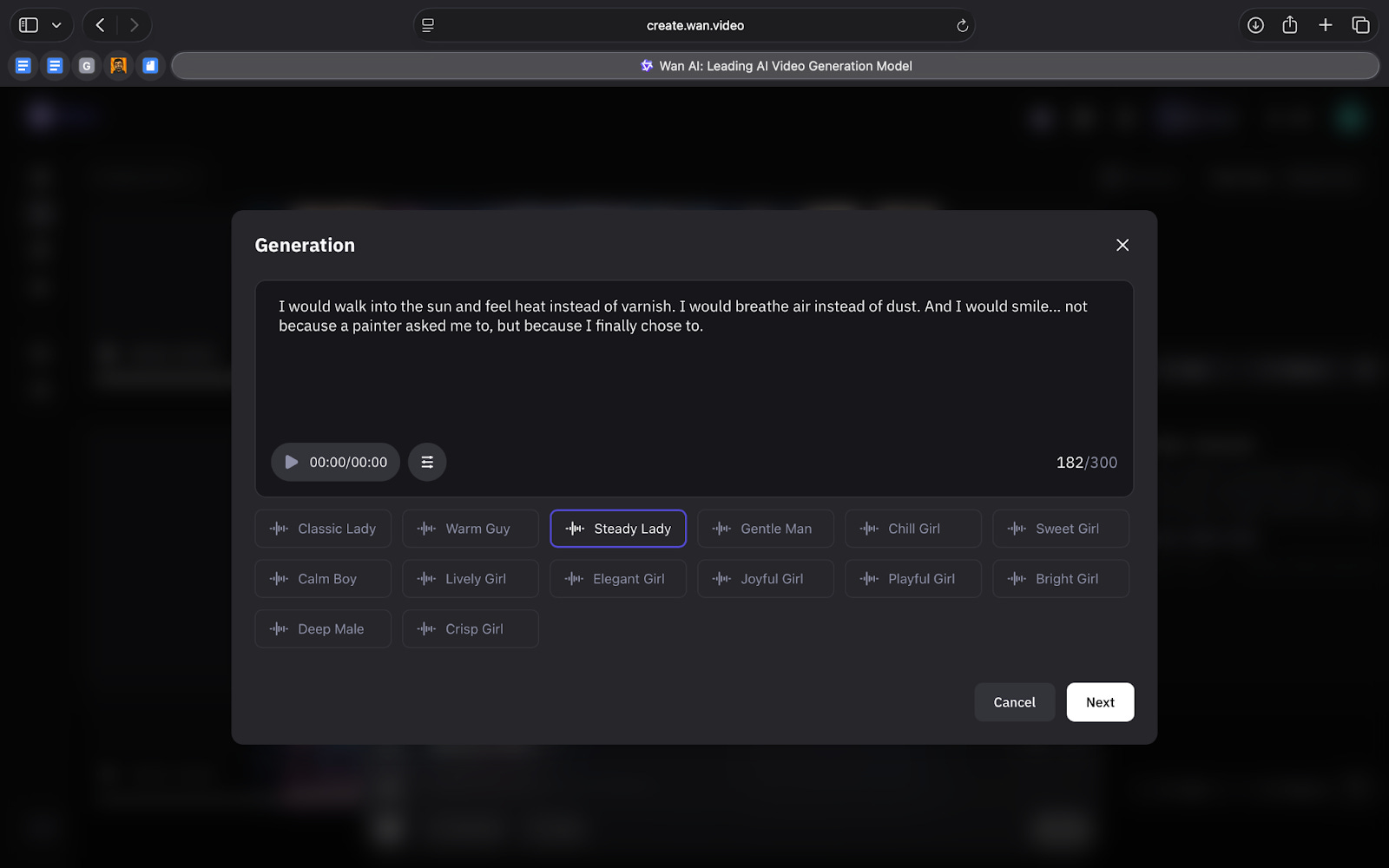
Another useful feature is the Avatar, which offers 3 functions: Speech-to-video, Character swap, and Animate swap.
Speech-to-Video lets you upload an image of any character, person or persona and animate it using an audio file. The tool applies facial motion, timing and expression to the static image, and it lets you choose from different accents to match the voice. The Mona Lisa example makes this clear. A single still image becomes a short, expressive clip that mirrors the tone of the audio.
Character Swap replaces the subject in a scene while keeping the original shot structure.
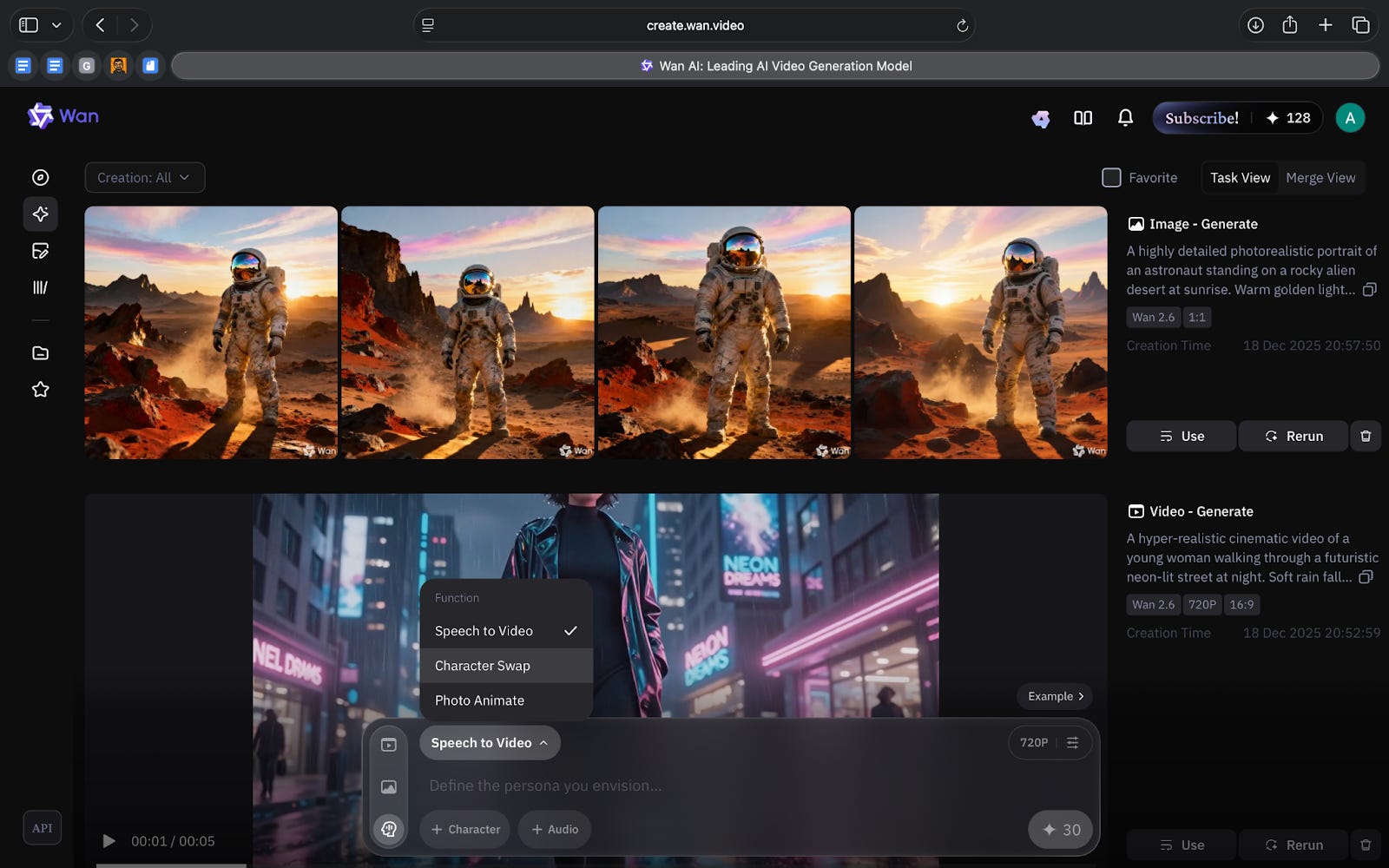
Animate Swap applies the movement from one clip to another subject, which helps when testing gestures or pacing.
These tools don’t replace animation software, but they make early idea testing much easier.
Where it works well
Wan works well when you want to explore ideas with clarity rather than speed. Even though rendering takes time, the tool’s structure makes each version predictable. This helps when teams need to refine tone or understand how a moment might look before committing to a final approach.
It is especially useful for short narrative moments. Simple gestures, small reactions and basic scene ideas come through with enough detail to support discussions in design, storytelling and content planning. The Avatar tools extend this by letting you animate a still image, try different voices or swap characters without rebuilding the scene.
Wan also fits into workflows where comparison matters. Changing the camera path or adjusting the lighting produces variations that hold their structure, which makes side-by-side review easier. For early creative alignment, this reliability becomes more valuable than speed.
Where it falls short
Wan can only create clips up to fifteen seconds, which keeps it useful for short moments but not for longer scenes. If you need continuity or multiple beats in a story, you will still need other tools to put everything together.
Like most AI video generators, Wan also depends on precise prompts. You have to be clear about what you want. Even then, the output may be close but not exact, so there is still some trial and error involved.
The tool is slow. It shows a countdown, but a single video can take more than five minutes to finish. This makes it harder to test many versions quickly, especially during fast-moving projects.
Another limitation is accuracy. Simple movements work well, but complex actions, hand interactions or fast motion can create distortions.
What makes it different
Wan is different because it makes AI video generation feel predictable. Most generators either give you too much freedom, which leads to random results, or they give you very strict controls that are hard to use. Wan sits in the middle. It gives you enough structure to keep shots consistent, but it is still simple for any designer or content creator to pick up.
This makes Wan useful at the start of a creative process. You can test an idea, change the camera or lighting, and see new versions that actually relate to each other. Tools like Runway or Kling often introduce big visual changes from one run to the next, which can make early exploration harder.
Wan’s limits become more profound once you move beyond early ideas. The clips are short, detailed motion is not always accurate and the output is not polished enough for final use. That is when teams usually shift to tools like Runway for stylised videos or Kling for more realistic shots.
My take
Wan is a useful tool for the early stages of creative work. It does not try to replace production software, and it should not be used that way. Instead, it gives teams a reliable way to explore ideas before they become fully developed. The structure of the tool helps keep outputs consistent, and the quality is strong enough to guide discussions about tone, story and direction.
The limitations are real. It is slow, the clips are short and the accuracy falls off when the motion gets complicated. But these issues do not take away from its value. Wan works best when you need clarity, not polish. It helps you see how a moment might feel, how a character might behave or how a scene could be framed, long before you invest in a heavier workflow.
For teams who think visually, this kind of early insight matters. Wan gives you a starting point you can react to, refine and build on. And in a space where most tools still feel unpredictable, that reliability is genuinely helpful.
In the Spotlight
Recommended watch: How to Dominate AI Search Results in 2025 (ChatGPT, AI Overviews & More)
This video offers an insight into AI search that feels grounded rather than hype-driven. Matt Kenyon breaks down how generative tools actually pull information, why top-ranking pages still shape AI answers, and how structure and schema make your content easier for models to use.
What stood out to me is how familiar the playbook is. AI search doesn’t replace good SEO but rather reinforces it. The fundamentals matter even more now.
Ranking in AI search pretty much boils down to just doing good SEO.
– Matt Kenyon, ~0:40

This Week in AI
A quick roundup of stories shaping how AI and AI agents are evolving across industries
Google releases an updated Gemini Deep Research, a more capable agent that plans, searches, and synthesises information into detailed reports. It signals Google’s push toward deeper, autonomous research workflows.
OpenAI introduces GPT-5.2, a long-context model built for coding, agents, and knowledge work. It focuses on stronger reasoning and more reliable multi-step execution across complex tasks.
xAI launches the Grok Voice Agent API, enabling real-time speech interaction for Grok-powered assistants. Developers can now build voice-first agents with fast responses and flexible voice options.
AI Out of Office
AI Fynds
A curated mix of AI tools that make work more efficient and creativity more accessible.
Diagramming AI → A lightweight tool that turns concepts, flows, and structures into clean diagrams with minimal effort. Useful for mapping ideas before they turn into full designs.
ColorHub → An AI-powered palette tester that checks contrast, accessibility, and performance across themes and modes. Helpful for stress-testing colors inside a design system.
Christmas Background Generator → A simple browser tool that adds festive, high-quality Christmas backgrounds to photos. Great for quick seasonal visuals without manual editing.
Closing Notes
That’s it for this edition of AI Fyndings. With Radix reframing how brands show up inside AI answers, Marengo making video searchable instead of overwhelming, and Wan giving creative teams more control over early visuals, this week pointed to a simple shift: AI is helping us see what we couldn’t see before.
Thanks for reading! See you next week with more tools, shifts and ideas that show how AI continues to reshape how we understand, create and decide.
With love,
Elena Gracia
AI Marketer, Fynd
ai helps us see patterns we miss when moving too fast. great insights here on practical applications.