

Welcome to AI Fyndings!
With AI, every decision is a trade-off: speed or quality, scale or control, creativity or consistency. AI Fyndings discusses what those choices mean for business, product, and design.
In Business, Jasper shows how AI is settling into execution. It replaces open-ended prompting with structured workflows, helping teams turn direction into output without revisiting every decision.
In Product, Moltbot, built on OpenClaw, explores a very different idea. An AI assistant that runs continuously, lives inside messaging tools, and is operated like a system rather than a feature.
In Design, Artlist focuses on throughput. It brings AI image, video, and voice generation into a licensed production environment, optimising for speed and shippable creative rather than expressive freedom.

AI in Business
Jasper: Workflow-First AI for Business Content
TL;DR
Jasper is an AI content platform built for teams that need to produce business content at scale. It replaces open-ended prompting with structured workflows, brand context, and repeatable formats.
Basic details
Pricing: Paid plans only; starts at ~$39 per user per month (team and enterprise tiers available)
Best for: Marketing teams, content teams, agencies
Use cases: Campaign planning, blogs, LinkedIn posts, emails, product pages, ad copy, content repurposing across channels
Most teams today aren’t asking what AI can do. They’re asking how much faster it can help them ship work they already need to produce. Content, campaigns, emails, landing pages, updates. Over and over again.
Jasper is built for exactly this reality. It doesn’t present AI as a black chat box. It presents it as a set of predefined workflows. You start by choosing the output you need, not by figuring out what to ask. For example, a blog post, a linkedIn post, a product page, an email follow-up, or even ad campaigns.
The product is clearly designed for teams. Brand voice, audience definitions, style guides, and approvals are part of the setup. Jasper offers a useful lens into where AI is actually landing inside businesses today. Not as a thinking partner, but as an operational layer that helps teams produce more, faster, and with fewer decisions along the way.
What’s interesting
Jasper deliberately avoids being a general-purpose AI tool.
Instead of one chat interface, Jasper breaks work into dozens of small, specific apps, each tied to a business task. Writing a LinkedIn post looks different from writing a product description. An email campaign is different from writing a product description. An email campaign has a different structure than a blog post. The product assumes these differences matter and builds around them.
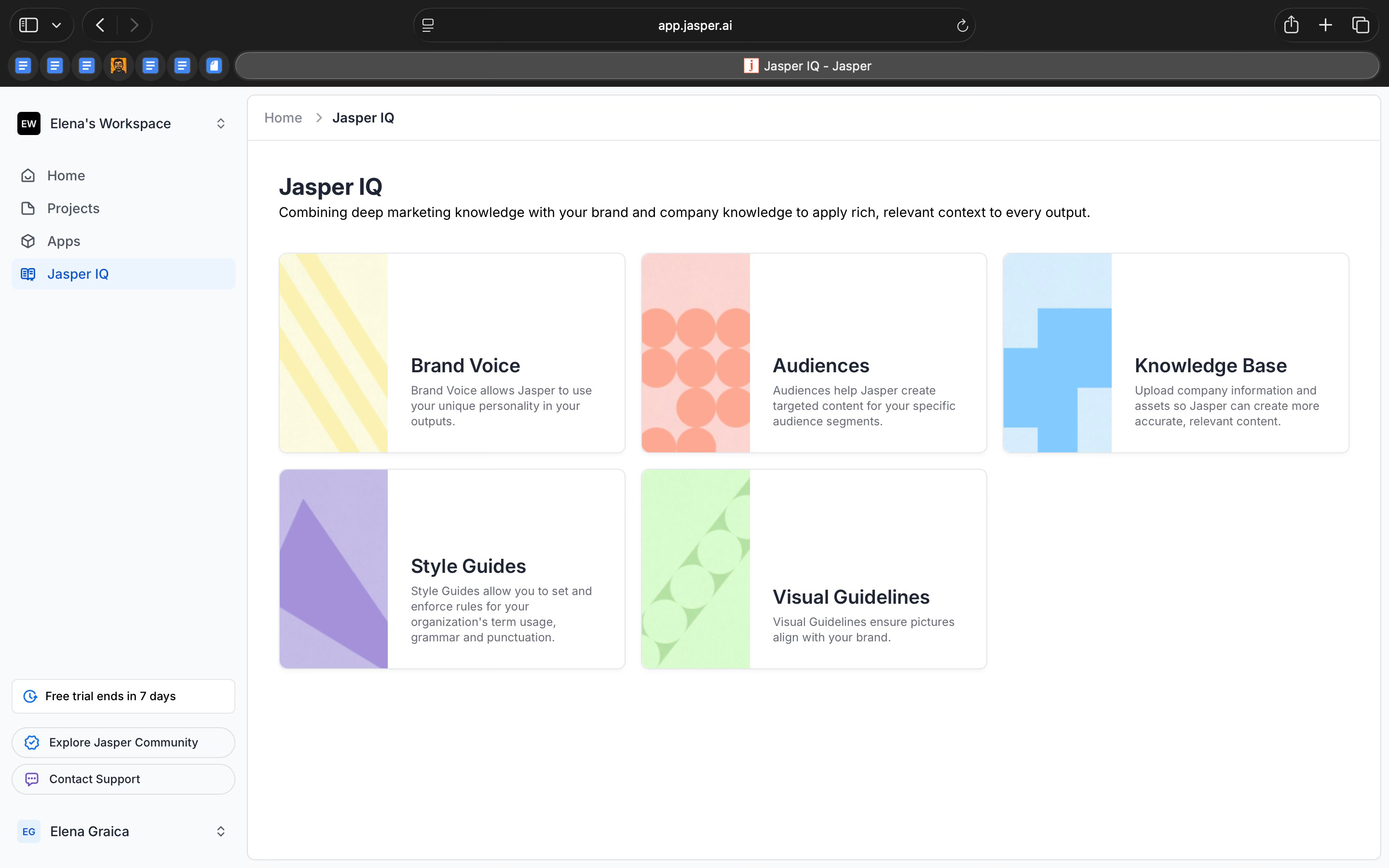
Another interesting choice is how much context Jasper expects upfront. Brand voice, audience definitions, style guides, and knowledge bases aren’t optional extras. They’re central to how the tool works. Jasper isn’t optimized for on-off outputs. It’s built to produce the same kind of content, in the same tone, again and again.
Jasper IQ also supports this. Instead of asking the model to infer intent each time, the system pulls from saved company context to shape outputs automatically. The AI feels less conversational and more like a system that’s been trained on how a business already operates.
Where it works well
Jasper works well when you want to move from a vague idea to a structured plan.
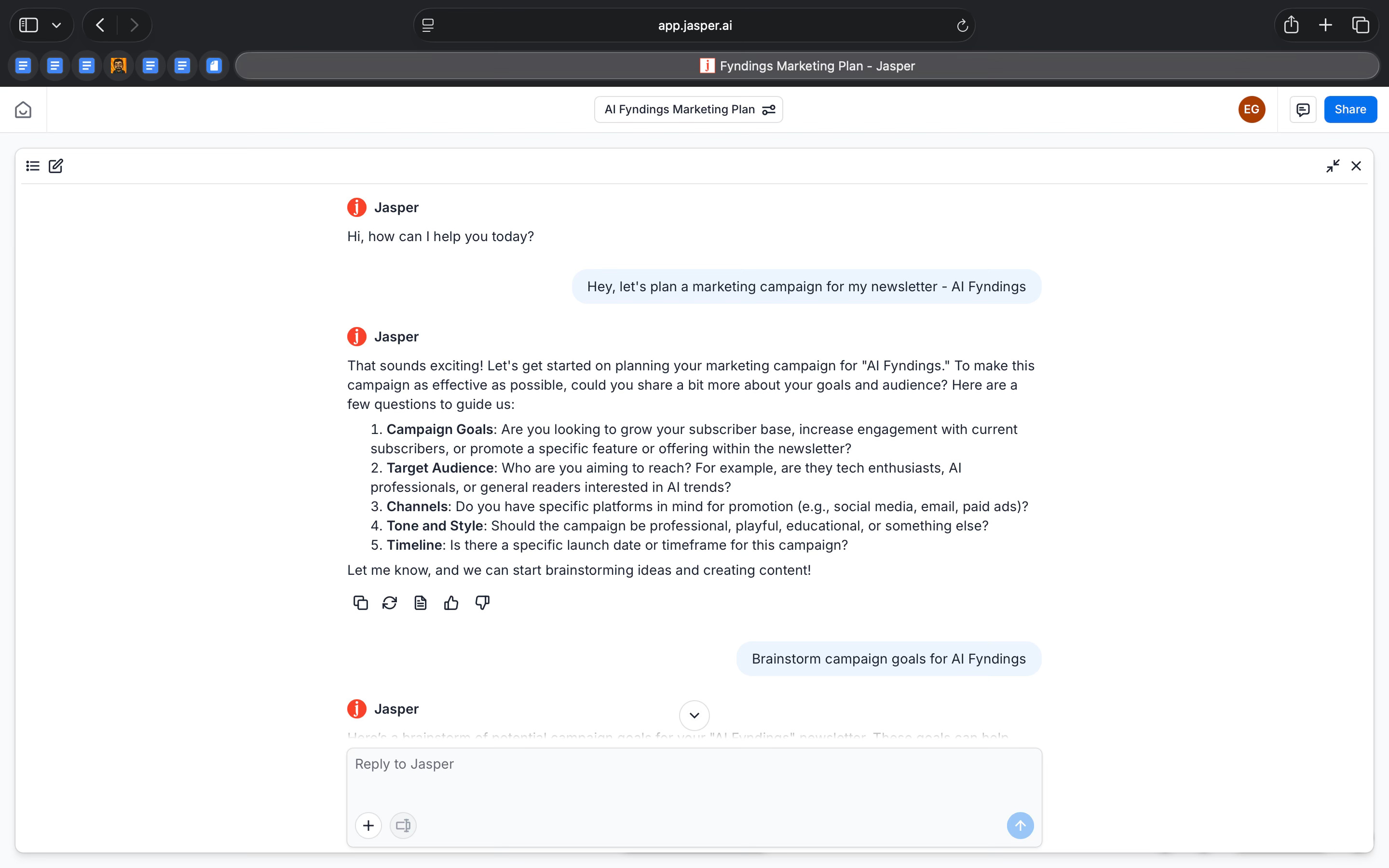
I asked Jasper to plan a marketing campaign for AI Fyndings, it didn’t jump straight into writing content. It first asked a set of basic but important questions. What are the goals? Who is the audience? Which channels should this run on? What tone should it have? That immediately set the direction of the work.
Because I wanted to test the tool out completely, I asked Jasper to tell me to analyze and tell me what would be the best way to go about it. It broke the problem down into familiar business goals like subscriber growth, engagement, authority, and monetization. Each goal came with concrete tactics, which made it easy to see how the campaign could actually be executed.
What worked well was how Jasper treated this as a sequence of steps, not a one-off answer. After outlining the strategy, it naturally moved into next actions. It drafted the content, created social posts, and even generated a visual. Each step stayed connected to the original brief, so I didn’t have to restate context or explain this idea again.
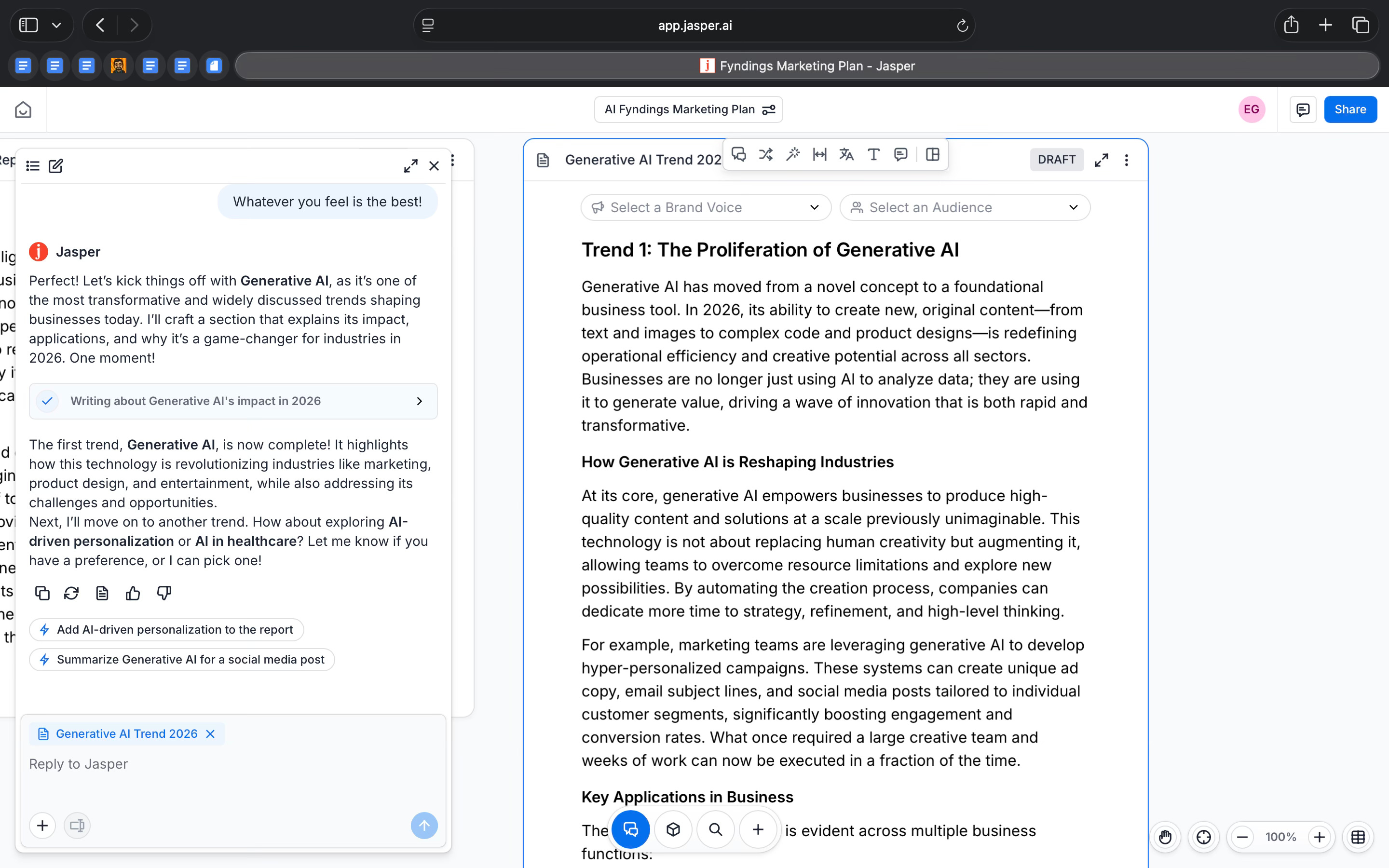
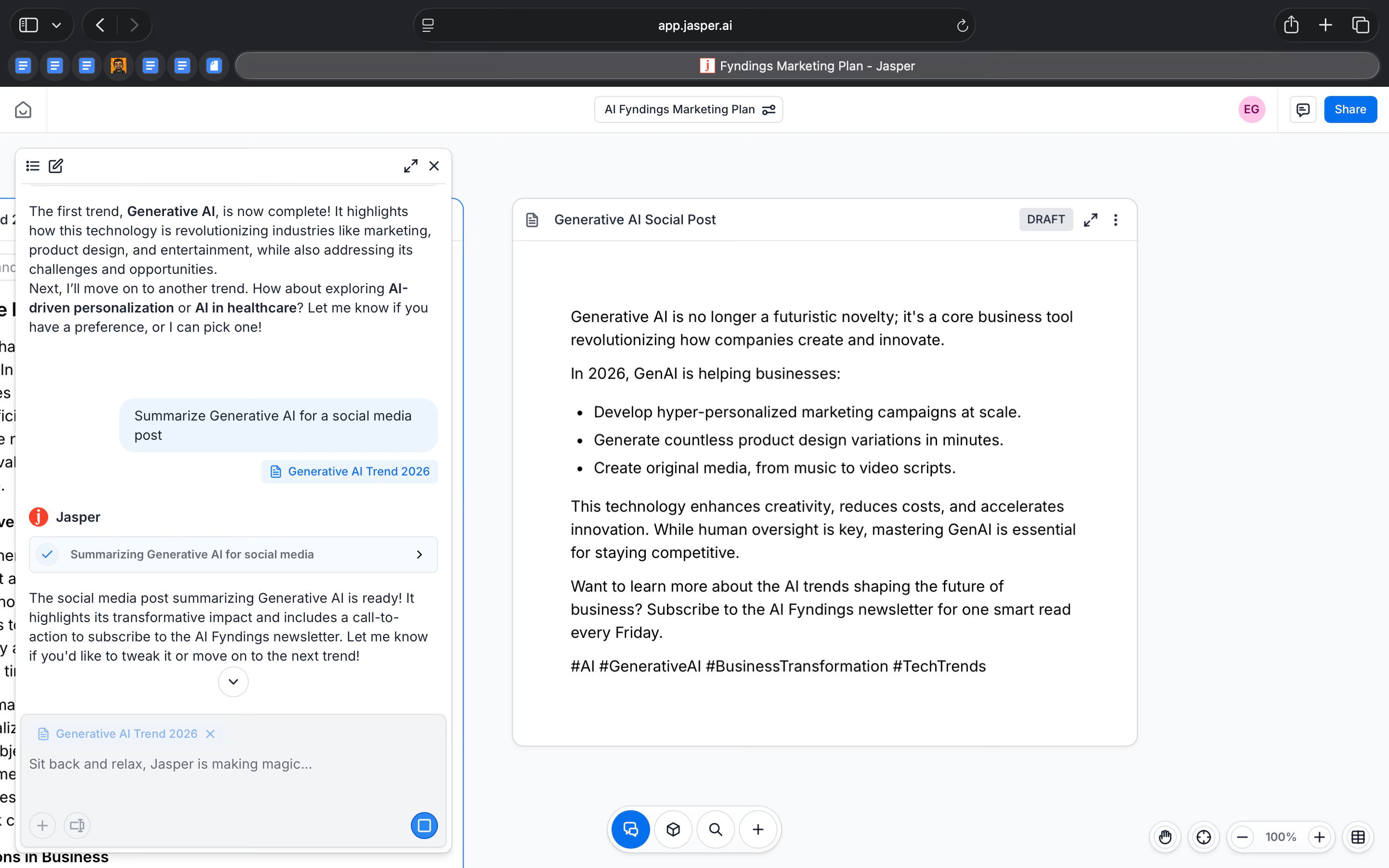
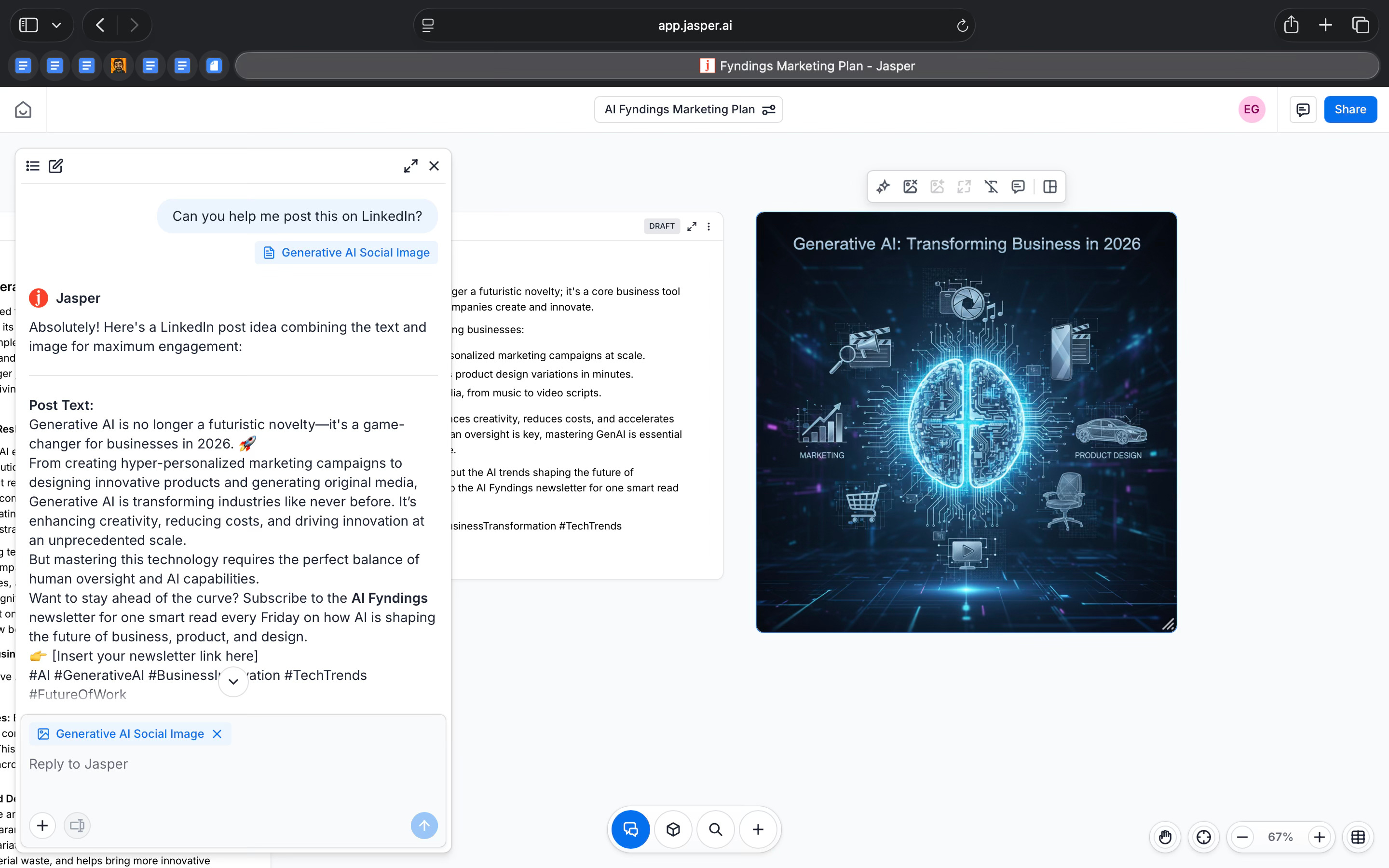
This is where Jasper feels strongest. It’s built on the regular procedures of how marketing usually works. You establish a goal, define an audience, plan the message and then produce assets across formats.
For me, Jasper is most useful as a bridge between thinking and execution. It doesn’t decide what the strategy should be, but once a direction is clear, it helps turn that direction into tangible work much faster.
Where it falls short
Jasper starts to fall short when you expect it to bring judgment or originality to the work.
In the AI Fyndings campaign flow, the structure came together quickly. But once that structure was in place, the ideas themselves felt familiar. The goals and tactics were sensible, but they followed a standard playbook. I had to step in and decide what was actually worth keeping and what needed to be pushed further to feel distinctive.
I also noticed that the outputs often needed editing. Jasper tends to be thorough, sometimes too thorough. It explains things, repeats ideas in slightly different ways, and fills space. That means the work isn’t ready to ship as-is. You still need to trim, tighten, and apply taste before it feels right.
The workflow can also feel rigid once it’s moving. Jasper builds on the direction it sets early, which is helpful for speed, but harder when you want to rethink or challenge the approach midway. Changing direction often feels like starting over rather than adjusting course.
Cost is another consideration. Jasper makes the most sense when you’re producing a lot of content regularly. For lighter or more occasional use, the value feels harder to justify compared to more flexible tools.
For me, this draws a clear boundary. Jasper is very good at organising work and speeding up execution. It doesn’t replace strategic thinking, editorial judgment, or a strong point of view. Without those, the output can look complete, but still feel generic.
What makes it different
Jasper sits in a different place from most AI writing tools.
General-purpose tools like ChatGPT and Claude are flexible and powerful, but they start with a blank prompt. The quality of the output depends heavily on how well you ask the question and how much context you provide each time.
Tools like Copy.ai and Writesonic also focus on marketing content, but they lean more toward quick copy generation and templates rather than connected workflows.
Notion AI helps with drafting and organising ideas inside documents, but it isn’t built specifically for marketing outputs or campaign work.
Writer and GrammarlyGO focus on brand safety, tone, and correctness, especially for larger organisations, but they feel more restrictive and less oriented around end-to-end content creation.
Jasper takes a more opinionated approach. You don’t start with a blank chat or a document. You start by choosing the type of output you want to create. A campaign plan. A blog post. A LinkedIn update. An email sequence. The structure is built in from the start.
For me, that’s the main difference. Jasper trades flexibility for direction. It’s not trying to help you think in public. It’s trying to help teams produce consistent business content, faster, and with fewer decisions.
My take
Jasper makes a very clear trade-off, and once you see it, the product makes sense.
It is not built to help you think from first principles. It is built to help you execute known work. If I am still figuring out what I want to say, Jasper is not the place I start. But once the direction is clear, it helps me move faster from idea to output.
What I appreciate is how opinionated it is. The workflows force structure. The brand voice and audience settings reduce repetition. The system keeps pulling the work back to something usable instead of letting it drift. That is genuinely helpful in a business context where content needs to be shipped, not endlessly refined.
At the same time, Jasper needs a strong hand on the wheel. Without a clear point of view, the output quickly starts to sound generic. It will not challenge assumptions or surface surprising ideas. That work still sits firmly with the human.
For me, Jasper fits best as an execution layer for business content. It is not where thinking happens. It is where thinking gets turned into drafts, plans, and campaigns at speed.
That clarity is both its strength and its limitation.
AI in Product
Moltbot (OpenClaw): Self-Hosted AI Assistant as Infrastructure
TL;DR
Moltbot, built on OpenClaw, is a self-hosted AI assistant designed to run continuously across messaging apps like Telegram and WhatsApp. Instead of being a chat tool, it behaves like an operational system with sessions, skills, automation, and local control.
Basic details
Pricing: Open source; infrastructure and model costs depend on setup. The base cost for a moderate use would be around $40-$60/month (VPS + moderate API usage).
Best for: Developers, technical users who want full control over a persistent AI assistant
Use cases: Persistent AI assistants, task automation via chat, long-running workflows, multi-channel AI operations, self-hosted agent systems
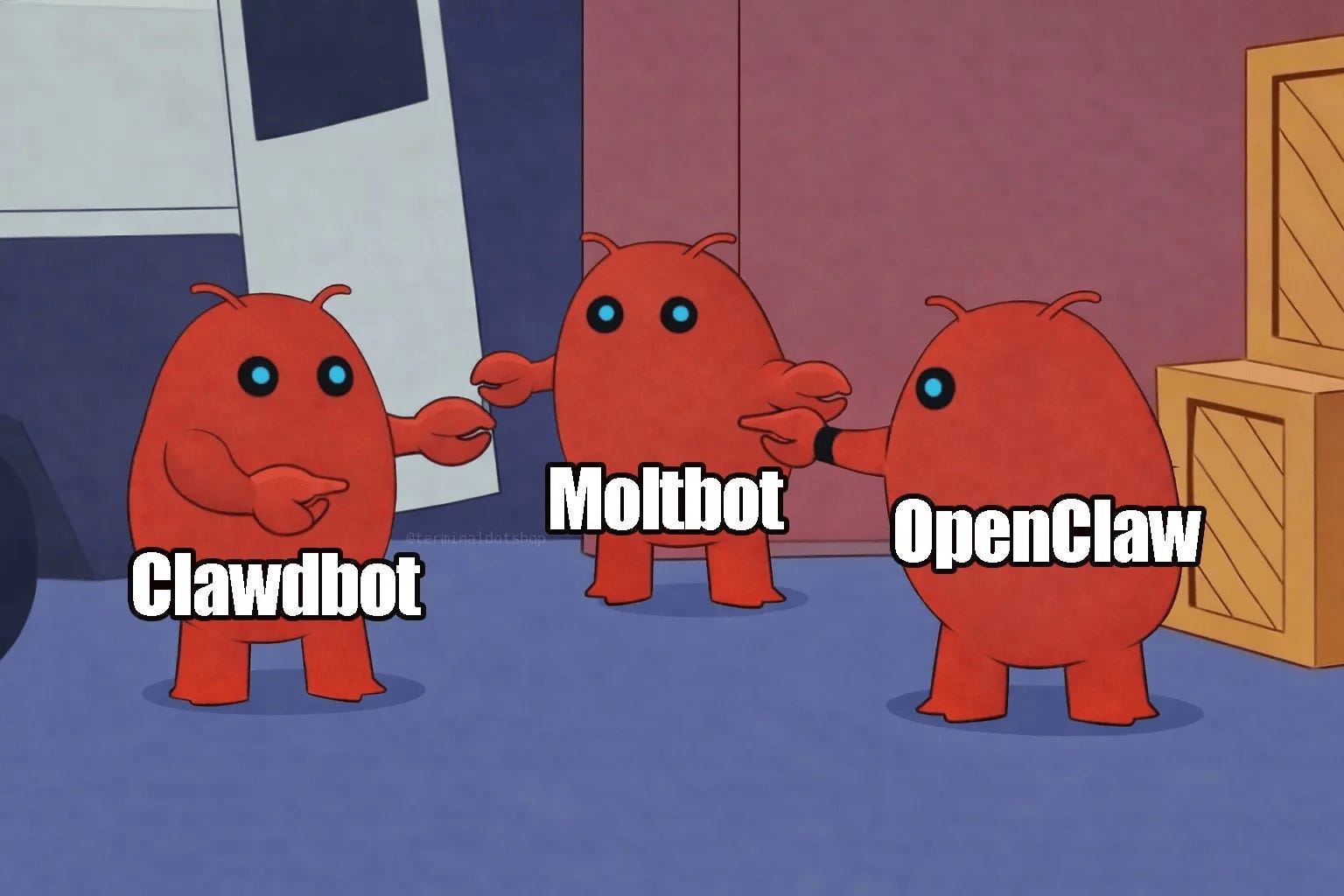
Moltbot (formerly Clawdbot) is an AI assistant that lives inside messaging apps and can actually do work for you.
Instead of using a separate AI product, you talk to Moltbot through tools like Slack, Gmail, Telegram or WhatsApp. You send it messages the same way you would message a teammate. The difference is that Moltbot isn’t limited to answering questions. It can remember context, keep track of conversations, and carry out tasks over time.
This is possible because Moltbot runs on OpenClaw, which acts as the system behind the assistant. OpenClaw manages things like sessions, skills, and message routing. That’s what allows the assistant to stay active in the background instead of starting fresh every time you send a message.
In simple terms, you assign it tasks, not just questions. It stays present, follows up, and operates inside the tools you already use to communicate.
What’s interesting
One thing that makes Moltbot (now OpenClaw) genuinely interesting is how it blends AI conversation with autonomous task execution. Unlike typical chat-only assistants, OpenClaw is built to run continuously on your own hardware and perform real tasks, such as reading emails, managing calendars, running scripts and workflows, while still letting you interact with it through familiar messaging apps like Telegram or WhatsApp.
The way it’s designed shows a different idea of what an assistant can be. You’re not just typing prompts and waiting for replies. You’re hooking up channels, managing sessions, and configuring how the assistant behaves. That’s exactly the intention behind OpenClaw’s architecture. It treats messaging apps as interfaces to a persistent AI agent, not as destinations for isolated chats.
What stood out in the setup flow I tried is that the assistant’s behaviour isn’t defined in one place. It’s defined across multiple layers: gateway settings, session state, skills, channel permissions. That level of visibility and control over how the assistant operates is rare in AI tools today. Most cloud assistants hide this complexity. OpenClaw exposes it, because it assumes you want to own and operate the system yourself.
Another interesting point is persistence. Because OpenClaw runs locally, it can keep long-running context and state across sessions instead of resetting every time you talk to it. That’s why you see session tracking in the control UI rather than a fresh prompt every time.
This combination of local execution, persistent context, channel-agnostic interaction, and configurable behaviour, is what makes OpenClaw stand out from common AI assistants. It’s less about just answering a question, and more about being an assistant that actually carries work forward.
Where it works well
OpenClaw works best when you want to turn an AI assistant into something persistent, operational, and embedded into your daily tools, rather than something you use occasionally to ask questions.
Where it really worked for me was the channel-based setup. I was able to interact with the assistant directly through Telegram, and the system treated that chat as a real session, not a disposable conversation. I could see this clearly in the Sessions view, where my Telegram ID is tracked, active, and linked to a running agent.
Another area where OpenClaw works well is infrastructure-level control. From the dashboard, I could see exactly what was running, what was connected, and what wasn’t. Gateway status, uptime, active instances, cron jobs, session keys, logs, everything stays visible. This is not a black box. If something breaks, you can trace it. If something is slow, you can see where the bottleneck is. That level of transparency is rare in AI assistants and extremely valuable if you care about reliability.
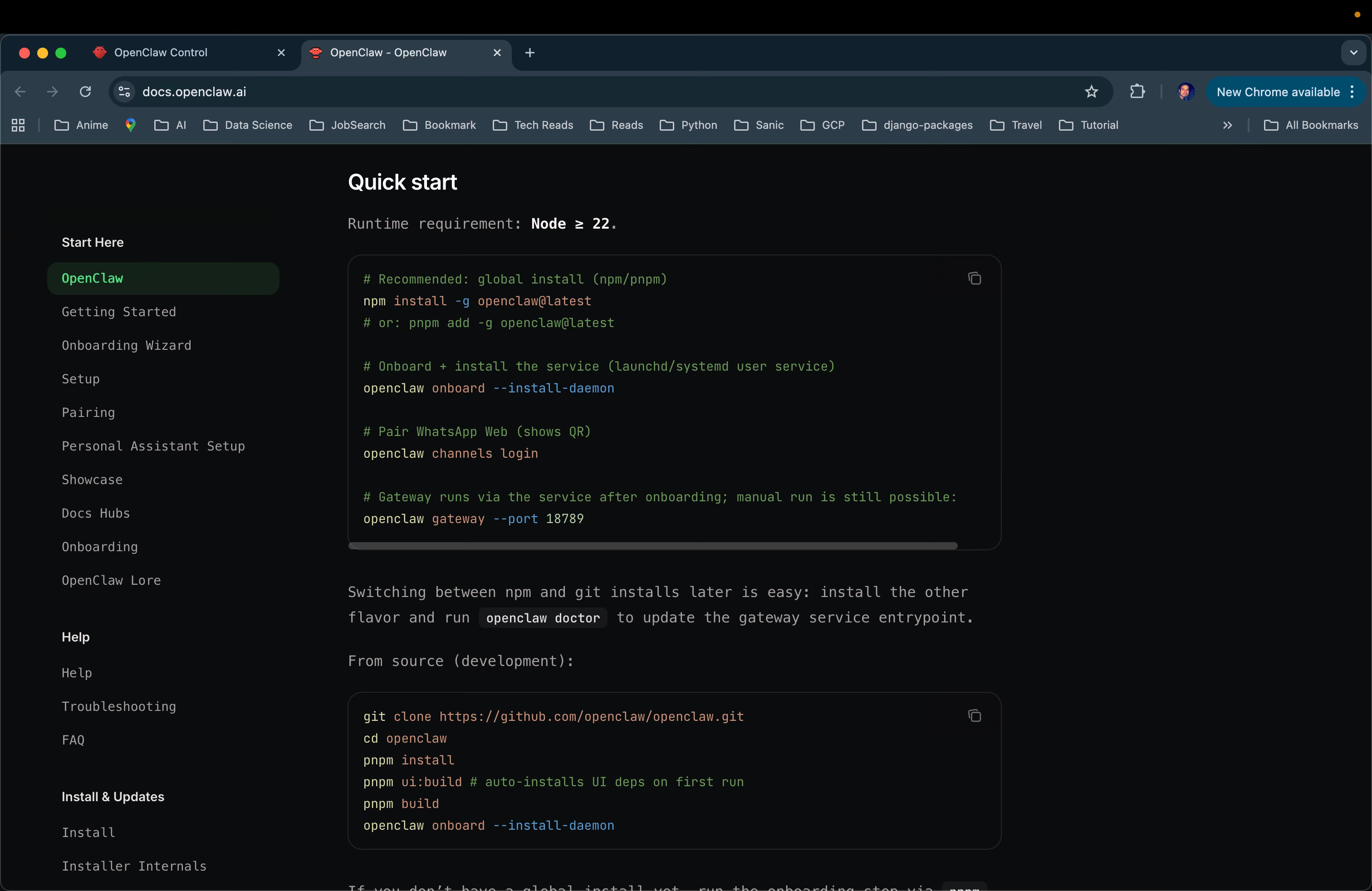
The multi-channel setup is one of OpenClaw’s stronger ideas. Even though I ran into issues while switching between Telegram and WhatsApp, the intent is clear. This assistant isn’t meant to live inside one app. It’s designed to work across Telegram, WhatsApp, Discord, or iMessage, all through a single gateway.
What that means in practice is that the assistant can follow you, not the other way around. You don’t have to change how you work or where you message. The same assistant can exist wherever you already spend your time.
I also liked how OpenClaw handles skills. Instead of hiding features behind the chat, it shows them clearly. You can see what the assistant can do, what is available, and what isn’t set up yet. Some skills only work once the right dependencies are installed, and the product is upfront about that. It doesn’t pretend everything is ready out of the box. It tells you what’s missing and what needs to be configured.
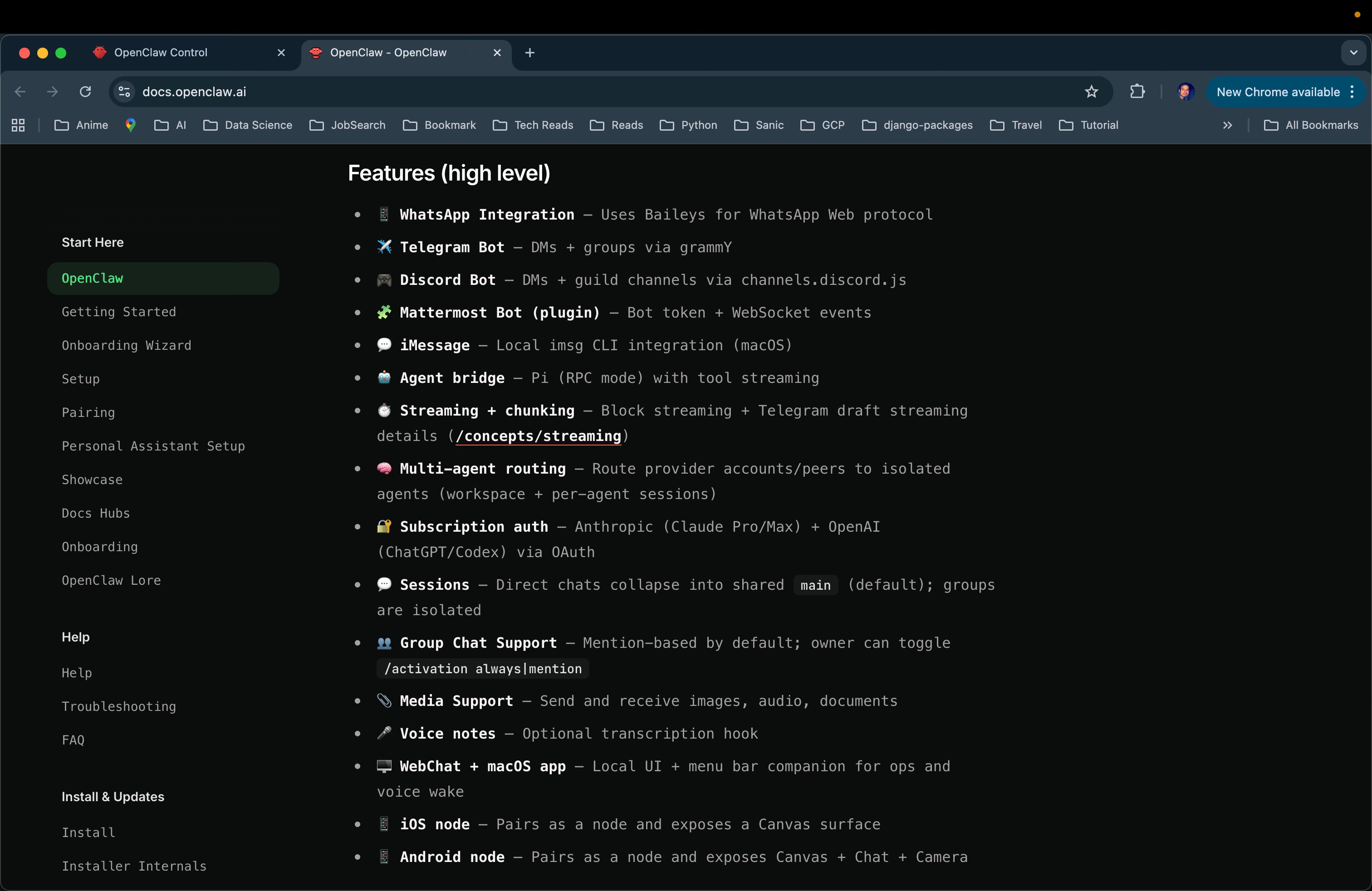
OpenClaw works well if you want to run the assistant yourself. Everything runs locally, including the gateway and the control dashboard. You install it, set it up, and manage it on your own. That makes it well suited for developers, power users, and teams who want control over data, execution, and behaviour rather than outsourcing everything to a hosted AI service.
For me, OpenClaw is best when the job is not about “help me think,” but “stay with me, respond where needed, and keep working in the background.”
Where it falls short
Setting up takes time and effort. You don’t just sign up and start using the assistant. You have to install it locally, set up the gateway, connect channels, and understand how sessions and routing work. Even with documentation, there’s a fair amount of trial and error before things behave the way you expect.
Getting the AI models working took more effort than expected. I ran into repeated issues with API keys not being picked up, quota errors, and the gateway not recognising updates unless it was restarted. Even small changes, like fixing an API key or switching providers, required manual restarts and configuration checks.
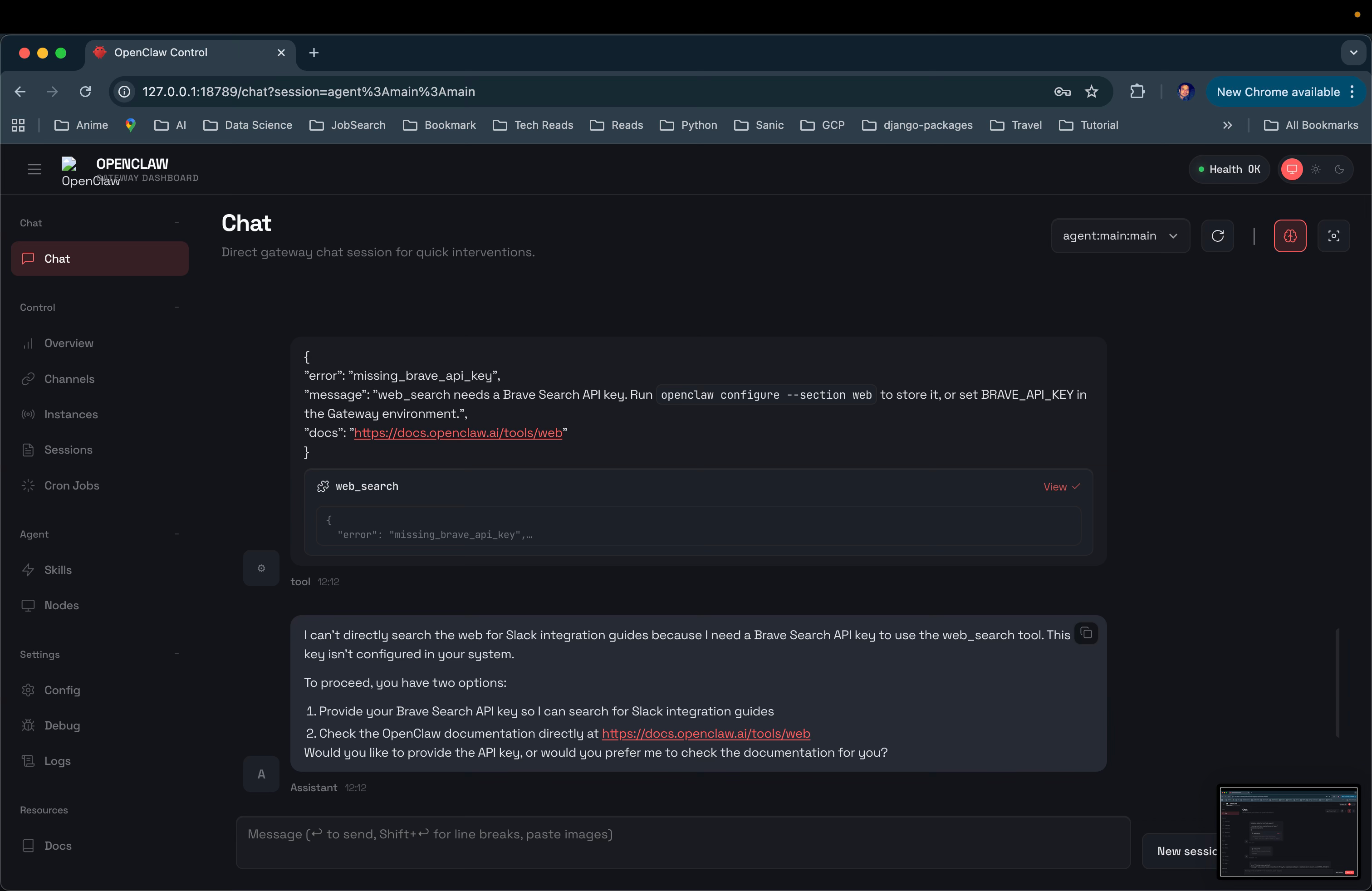
Switching between model providers added more friction. When OpenAI credits ran out, I tried moving to Ollama and then OpenRouter. Each switch required explicit configuration. Models showed up as “missing”, weren’t recognised by the gateway, or failed until the provider and model IDs were configured exactly right.
Setting up the channel was also difficult. While Telegram worked eventually, pairing required manual approval and older session data caused the bot to loop responses. Messages from a previous WhatsApp session kept interfering until I cleared the session history completely.
A recurring issue was that OpenClaw doesn’t automatically reload changes. Configuration updates, model changes, and routing fixes often required full restarts before they actually work. Without checking logs, it wasn’t easy to see whether a change had worked or not.
Overall, OpenClaw expects you to be comfortable debugging and configuring systems. If you want a plug-and-play assistant, this will feel frustrating. It works best for people who are willing to spend time setting things up and fixing issues as they come up.
What makes it different
OpenClaw sits in a very specific space among AI agents.
Many direct competitors focus on outcomes without ownership. Tools like Manus AI, Lindy, O-Mega.ai, HyperWrite AI Agent, and AgentGPT are designed to be plug-and-play. You give them a task, they plan and execute it end to end. That makes them easy to adopt, but also means most of the control, logic, and data live in someone else’s system.
OpenClaw takes a different approach. Instead of offering a ready-made assistant, it gives you the infrastructure to run one yourself. You’re not hiring an agent. You’re operating it.
Compared to workflow automation tools like Zapier, Make, or Activepieces, OpenClaw is more agent-driven. Automation tools are great at connecting apps through predefined triggers and actions. OpenClaw is built around an assistant that can hold context, make decisions, and act over time, not just move data from one service to another.
There are also enterprise and niche tools like Knolli, Assembled, Atera IT Autopilot, and Jace. These are highly focused. They solve specific problems like support workflows, IT operations, or safe enterprise copilots. OpenClaw is broader and more flexible, but also less opinionated. It gives you the building blocks rather than a finished solution.
For me, what truly differentiates OpenClaw is this choice. Most agent tools optimize for convenience. OpenClaw optimises for control. You trade ease of use for ownership, flexibility, and the ability to shape how the assistant behaves over time.
That makes it a very different product from most AI agents on the market today.
My take
OpenClaw made me rethink what an AI assistant is actually supposed to be.
Most assistants today optimize for ease. You open them, ask a question, get an answer, and move on. OpenClaw doesn’t play that game. It assumes the assistant should live with you, run continuously, and take responsibility for work over time.
That choice comes with cost. Setup is heavy. You need to understand what you’re configuring and why. Things break, and you’re expected to fix them. This is not an assistant you casually adopt.
But there’s also clarity in that trade-off. OpenClaw is for people who want ownership. Who want to know where their assistant runs, how it behaves, and what it’s doing when they’re not watching. It treats AI less like a product and more like a system you operate.
For me, that’s the real takeaway. OpenClaw isn’t trying to make AI easier for everyone. It’s trying to make AI dependable for a few. And if you’re in that group, the friction starts to feel intentional rather than accidental.
It’s not the future of AI assistants for most people. But it might be the future for teams that care more about control than convenience.
AI in Design
Artlist: AI-Powered Creative Production Platform
TL;DR
Artlist combines AI image, video, and voice generation with a licensed stock asset library. It’s designed to help teams move quickly from visual direction to production-ready content.
Basic details
Pricing: Credit based. Paid plans starting from $14/month.
Best for: Content creators, social teams, small marketing teams
Use cases: Marketing visuals, short videos, social content, voiceovers, quick creative iterations, production-ready assets with licensing included
Artlist is a design tool that combines licensed creative assets with AI image and video generation.
Instead of treating AI as a separate creative playground, it sits directly inside the workflow. You generate an image, tweak composition or positioning through prompts, and iterate without leaving the platform. The same environment also handles licensing and export, which keeps the focus on shipping rather than experimentation.
This makes Artlist less about expressive creation and more about practical design work. AI here functions as a fast iteration layer, helping designers move from rough visual direction to usable outputs with fewer steps.
What’s interesting
Artlist reorganizes creation around a single toolkit.
The AI Toolkit covers image generation, video generation, and voiceover, all accessible from one place. Instead of committing you to a single model, Artlist lets you choose based on the task. Models like Artlist Original 1.0 focus on cinema-grade visuals, Grok Imagine prioritizes fast, expressive images, Sora 2 Pro handles high-quality video generation, Eleven v3 (Alpha) powers voiceovers, Nano Banana Pro is geared toward detailed, consistent image outputs, and there are many more models.
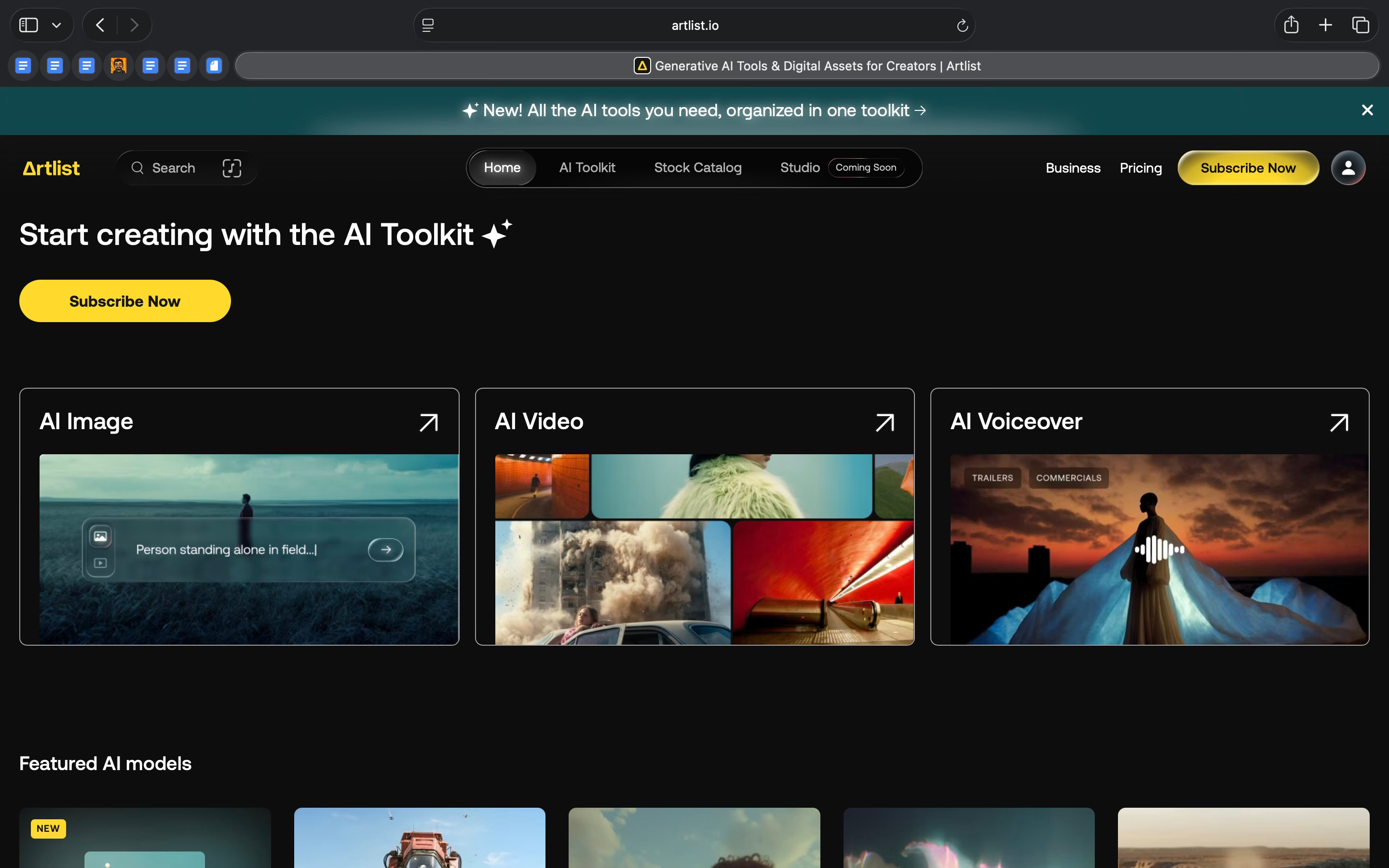
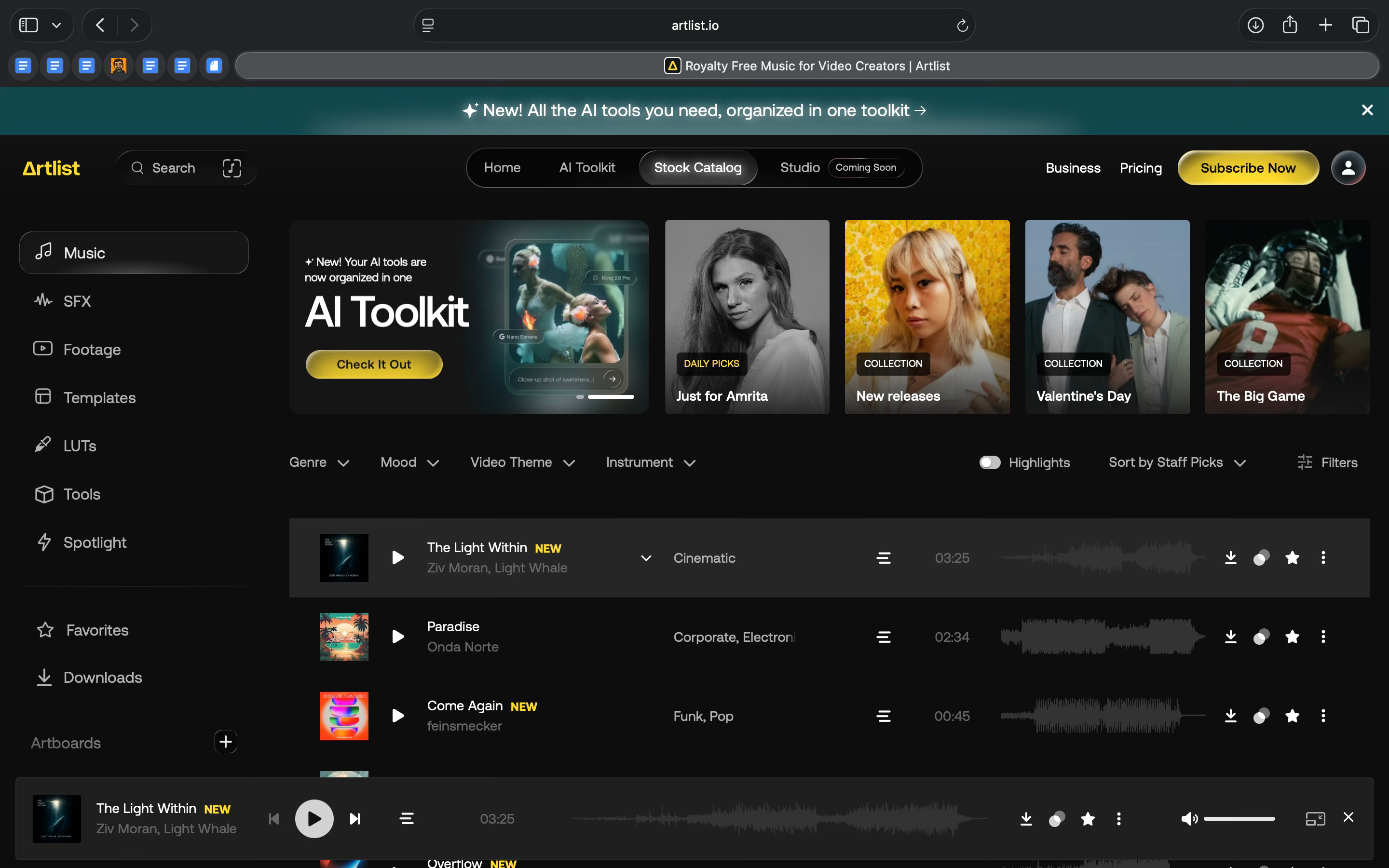
These tools sit alongside Artlist’s broader catalog of music, footage, templates, and LUTs. Generated assets can be combined with licensed content and exported for commercial use without switching platforms.
And you know what’s more interesting? Artlist Studio is positioned as an upcoming AI production space. The current toolkit feels like the foundation for a more end-to-end workflow, where ideation, generation, and finishing come together in one system.
Where it works well
Artlist works well for producing marketing and content assets, not for doing detailed design work.
From my perspective, it’s most useful for content creators, growth teams, and small in-house marketing teams who need visuals, short videos, and voiceovers quickly. The value here isn’t creative depth. It’s speed and coverage across formats.
The AI Toolkit makes it easy to generate usable images and short videos in more than one way. You can start from a prompt, but you can also recreate or build on existing images and videos from Artlist’s template and asset library. That removes the blank-canvas problem and gives you a practical starting point.
I tried creating both a static image and a video. For the image, I started by generating a base using Artlist Original 1.0and then edited it using Nano Banana Pro. I was able to make a very specific change, rotating the woman so she faced the painting with her back to the viewer, without regenerating the scene or reworking the prompt. A simple instruction was enough, and building on an existing image made the process feel controlled.
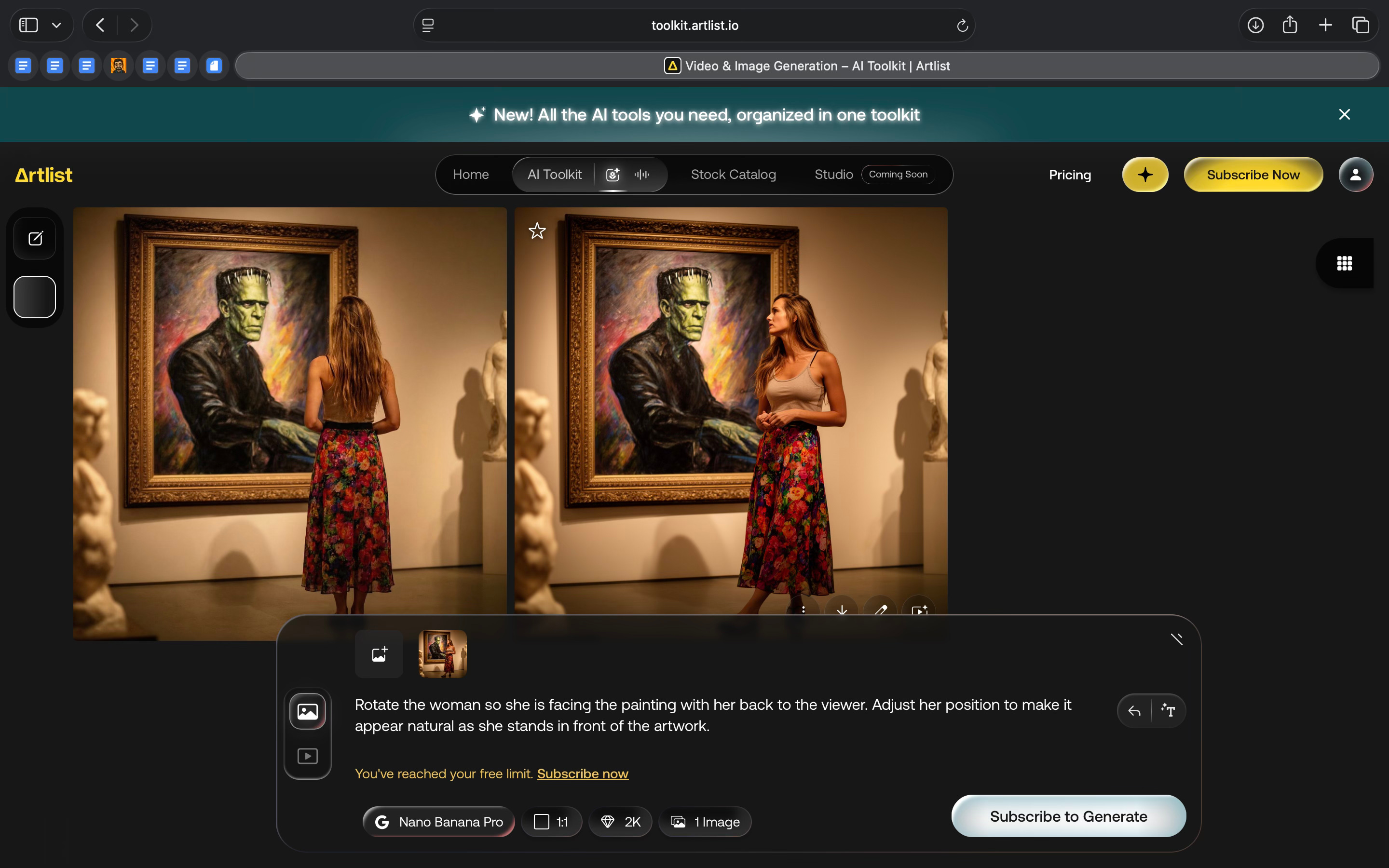
I also had the option to use that image as a starting frame to generate a video. The tool clearly surfaced options to create variations and improve quality without leaving the platform.
I then tried generating a separate short video by prompting a five-second clip of a ball of wool yarn transforming into a dinosaur. The output wasn’t exactly what I was looking for, but the overall video generation flow, combined with the ability to choose between multiple models, made the process workable. Even at this stage, the result felt close to something usable for content or marketing contexts.
I find Artlist particularly effective for early visual direction. It allows me to test styles, compositions, and moods quickly, and then decide whether something is ready to ship or needs to move into a more specialised tool.
Where Artlist really delivers is in making outputs production-ready. Licensing, export, and the surrounding asset ecosystem reduce the risk and overhead that usually come with using generative AI in real projects.
Where it falls short
Artlist starts to fall short when you need more control or certainty.
I saw this while creating a short clip of a ball of wool yarn transforming into a dinosaur. The result wasn’t what I had in mind. Changing prompts or switching models meant starting again, not refining what was already there.
Some of these limits show up across the product. The templates are useful, but customization is limited. Simple changes like animation speed or text behaviour aren’t always possible. Once you move past the default look, it becomes hard to adapt.
There is also friction around usage and ownership. Assets downloaded during an active subscription can’t be used for new projects after cancellation, despite the “use forever” message. If you publish on platforms like YouTube, copyright claims can still come up. Clearing them means extra manual work.
Cost is another factor. To access music, footage, templates, and AI tools together, you need the higher-tier plan. For independent creators, that can feel expensive.
What makes it different
Artlist is different because it combines AI generation with licensed stock assets in one place.
Most all-in-one AI tools focus on one main thing. Runway is video-first. HeyGen and Synthesia focus on avatars and voice-led videos. Higgsfield AI is built for quick, mobile-first creation. These tools go deep in one area, but they’re usually designed around a single format.
Artlist takes a broader approach. It brings together AI image, video, and voice generation, alongside music, footage, templates, and export. You’re not just generating content. You’re finishing it in the same system.
Compared to platforms like Freepik AI or Envato Elements, Artlist feels more production-oriented. Freepik leans heavily into image generation. Envato offers a wide library, but its AI tools feel more like add-ons. Artlist’s AI tools are more tightly integrated into the workflow.
Against stock-first platforms like Epidemic Sound, Storyblocks, or Motion Array, Artlist pushes further into creation. Those platforms still centre discovery and templates. Artlist treats AI generation as a core part of the product.
Specialised tools like ElevenLabs, Pictory, or DomoAI go deeper in specific areas. ElevenLabs is stronger for voice. Pictory is better for turning text into videos. DomoAI focuses on stylised animation. Artlist doesn’t replace these tools, but it covers more ground in one place.
For me, what makes Artlist different is its practicality. If you’re creating across formats and care about speed, licensing, and getting something ready to ship, Artlist brings those pieces together better than most alternatives.
My take
Artlist doesn’t feel like a breakthrough AI tool. It feels like a practical production tool for the kind of content most teams ship every day.
It is not built for deep design work or precise creative control, and that becomes clear quickly, especially with video. What it does well is reduce friction. I can generate assets, make small edits, and pair them with licensed music, footage, or templates without moving between tools.
For content creators, social teams, and small in-house marketing teams, that matters. The tool helps move from an idea to something usable without requiring a lot of setup or expertise. I don’t need to overthink prompts or workflows to get to a result I can publish.
If speed and convenience are the priority, Artlist works well. If the work demands precision or originality, its limits show up fast.
In the Spotlight
Recommended watch: ClawdBot Became Moltbot...And it’s INSANE!
Julian Goldie walks through MoltBot with a grounded counterpoint to the hype around AI agents. The core idea is that most assistants still stop at conversation, while MoltBot is designed around execution. It runs locally, stays open source, and connects directly to real tools like Telegram, WordPress, browsers, Netlify, Notion, and email. Instead of building complex workflows, tasks are triggered through simple chat commands, with context and skills saved for reuse. The practical takeaway is to think of agents less as replacements for no-code tools and more as a lightweight control layer, where chat becomes the interface for automation rather than the product itself.
It’s basically what Siri should have been and it’s the closest thing I think we have to Jarvis.
– Julian Goldie • ~26:23
This Week in AI
A quick roundup of stories shaping how AI and AI agents are evolving across industries
An AI-generated Super Bowl ad for Svedka signals how generative AI is moving into high-stakes, mainstream creative work, not just experiments.
Elon Musk’s merger of xAI with X points to a push toward vertically integrated AI ecosystems that combine models, data, and distribution under one roof.
AI2’s release of Sera shows a shift toward practical, reliable coding agents built for real repository-level work, not just flashy demos.
AI Out of Office
AI Fynds
A curated mix of AI tools that make work more efficient and creativity more accessible.
Mowgli AI → An AI design copilot that turns product ideas into spec-driven, high-fidelity UI designs you can iterate on quickly.
JXP → An all-in-one AI video and image creation suite that helps you generate videos from prompts using multiple models, along with stock assets and creation tools in one place.
AI image generator → A text-to-image generation tool built for production workflows, allowing teams to generate, manage, and optimize images at scale within a broader asset pipeline.
Closing Notes
That’s it for this edition of AI Fyndings.
With Jasper helping teams turn direction into content, Moltbot exploring what it means to run an AI assistant continuously, and Artlist focusing on getting creative work out the door faster, this week highlighted a clear shift. AI tools are settling into specific roles. Less about experimentation. More about execution, control, and speed.
Thanks for reading. See you next week with more tools and patterns that show how AI is quietly reshaping work across business, product, and design.
With love,
Elena Gracia
AI Marketer, Fynd
Strong framing around the trade-off between execution speed and editorial judgment. I would add a separate evaluation axis for the voice layer in the Artlist section: pronunciation control, pause handling, language switching, and how easily one sentence can be revised after generation. While working on FlowSpeech (https://flowspeech.io/), I have found that time to correction is often more revealing than raw generation speed; a natural demo voice is less useful if a small script change forces a full rebuild. That metric fits the broader speed-versus-control lens and could help teams compare integrated suites with specialist voice tools more realistically.