

Welcome to AI Fyndings!
With AI, every decision is a trade-off: speed or quality, scale or control, creativity or consistency. AI Fyndings discusses what those choices mean for business, product, and design.
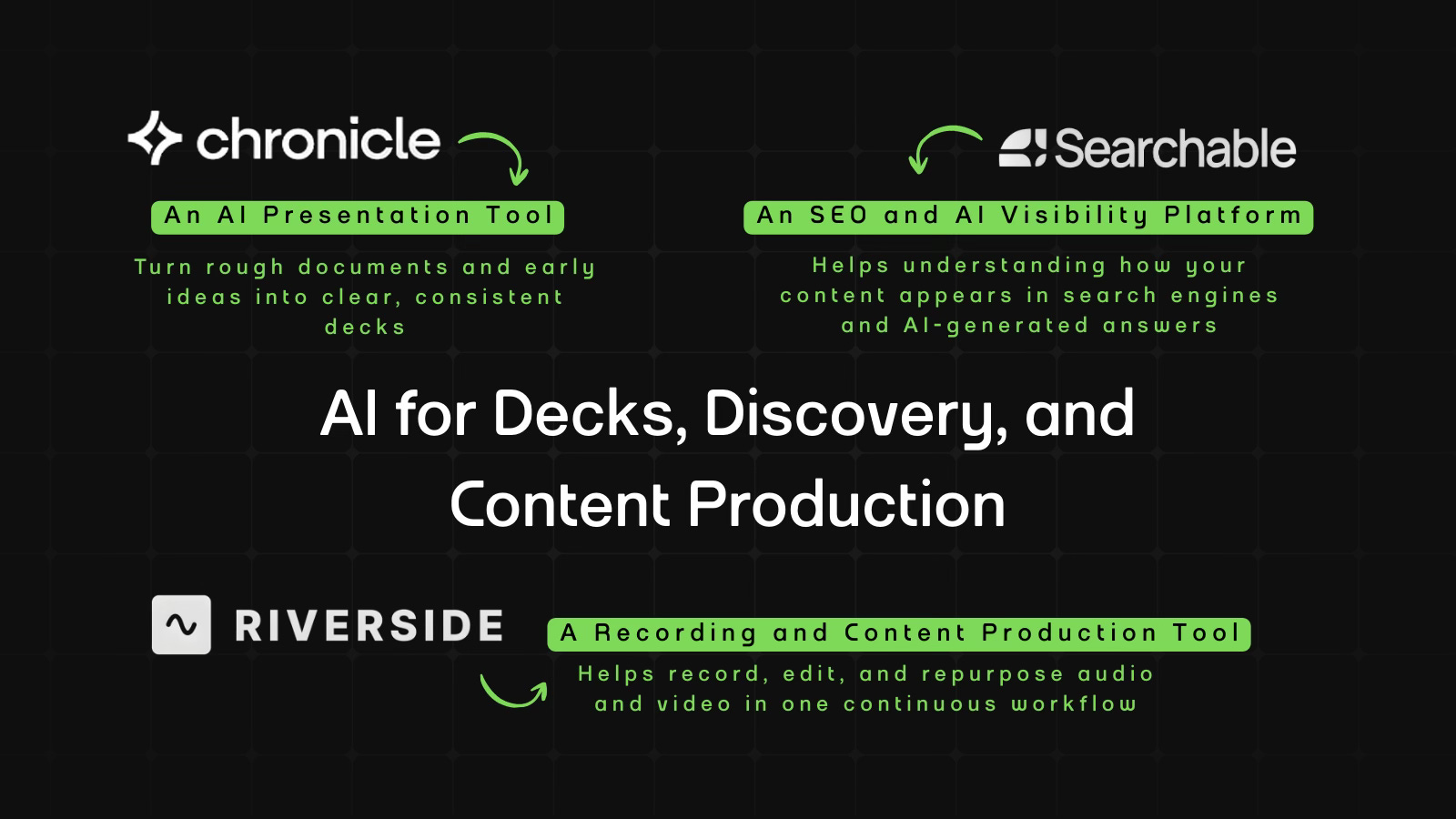
In Business, Chronicle treats structure as the hard part of presentations, helping turn messy ideas into coherent decks before worrying about slides.
In Product, Searchable looks beyond rankings and traffic to show how brands appear inside AI-generated answers, connecting SEO work with AI-driven discovery.
In Design, Riverside focuses on workflow continuity, bringing recording, editing, and repurposing together so content doesn’t fall apart after capture.

AI in Business
Chronicle: Presentation Tool Built Around Structure First
TL;DR
Chronicle is an AI presentation tool that helps turn existing content into structured, designed decks. It handles layouts, themes, and formatting automatically, and uses AI to help shape and refine content, but still requires active involvement and review.
Basic details
Pricing: Free plan available; paid plans start at $15 per user per month
Best for: Tbh, anyone
Use cases: Turning documents or prompts into structured decks, building on-brand reports, strategy decks, updates, and sales pitches
Most of us default to PowerPoint or Slides not because they help us think, but because they’re familiar.
They are the tools we’ve always used. You open a template, start adding slides, and figure out the placement as you go. Even when the goal is clear, the workflow pulls you into mechanics too early. You are adjusting layouts, rewriting headings, and moving boxes around while trying to express ideas you already understand. Slides get added to support the message, but the structure can start to obscure it.
Chronicle offers multiple ways to start, but the intent remains consistent. You bring in whatever you already have, and the tool helps turn it into a structured presentation. Layouts, themes, and formatting are handled in the background, which shifts more of your attention to shaping the content instead of arranging slides.
What’s interesting
There are four ways you can start working with Chronicle: paste text, start with a prompt, import content from a website, PDF, or PPT, or begin with a template.
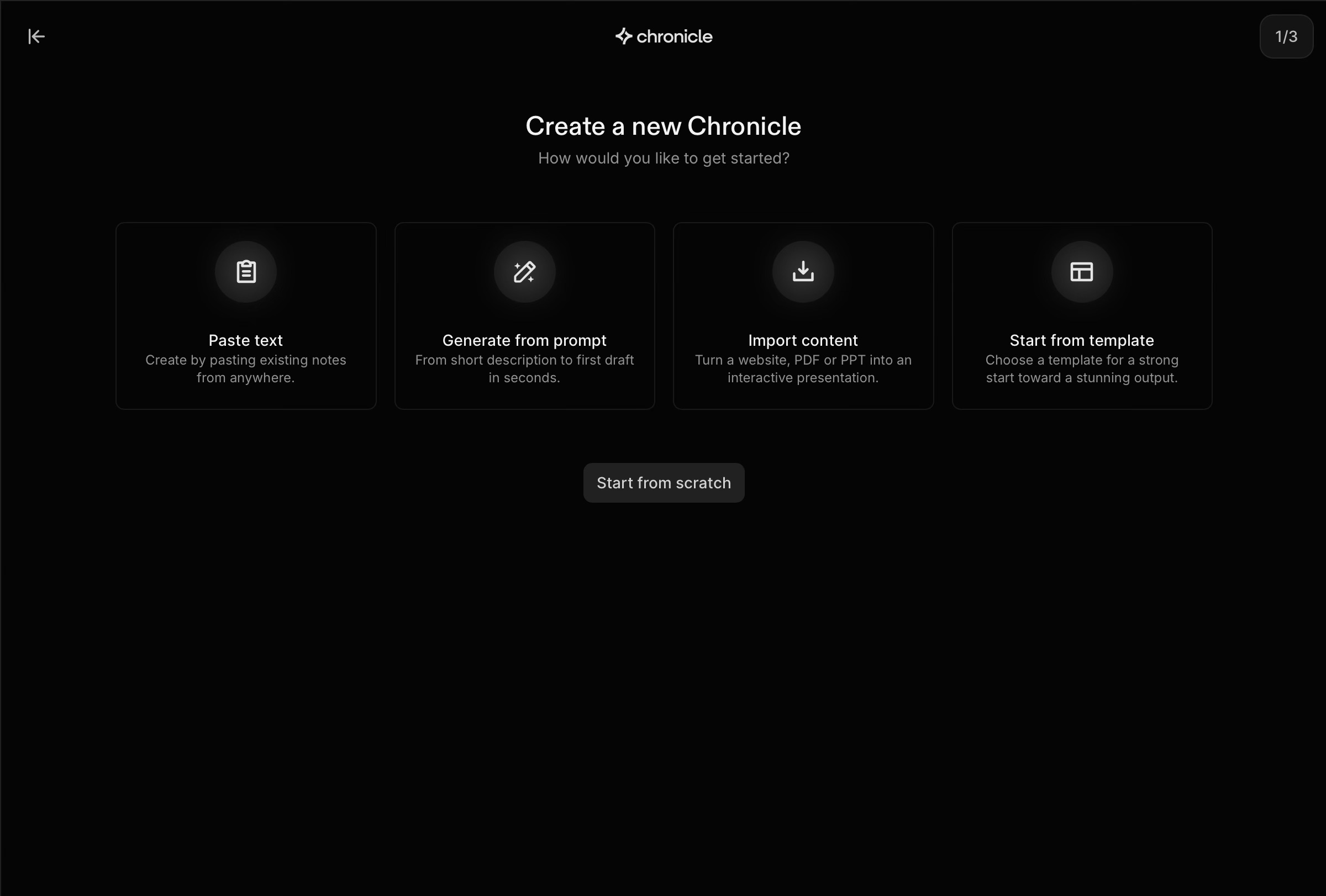
I tried Chronicle in two ways. I uploaded a PDF, and I used the prompt-based flow.
I used a mock strategy document with dummy information when I uploaded the PDF. I expected Chronicle to convert it into slides and largely preserve the content as-is. That didn’t happen. Instead, it treated the PDF as raw input. It broke the content into sections, reorganised it, and rewrote parts of it to fit a presentation format. Some sections were condensed, others were reframed.
The prompt-based flow was interesting in a different way. I asked Chronicle to help create a deck on “Digital Marketing Trends Report: 2026 Outlook for AI and SaaS Leaders.” Instead of generating slides immediately, it asked questions first. Who is this for? What’s the angle? What should someone take away from it?
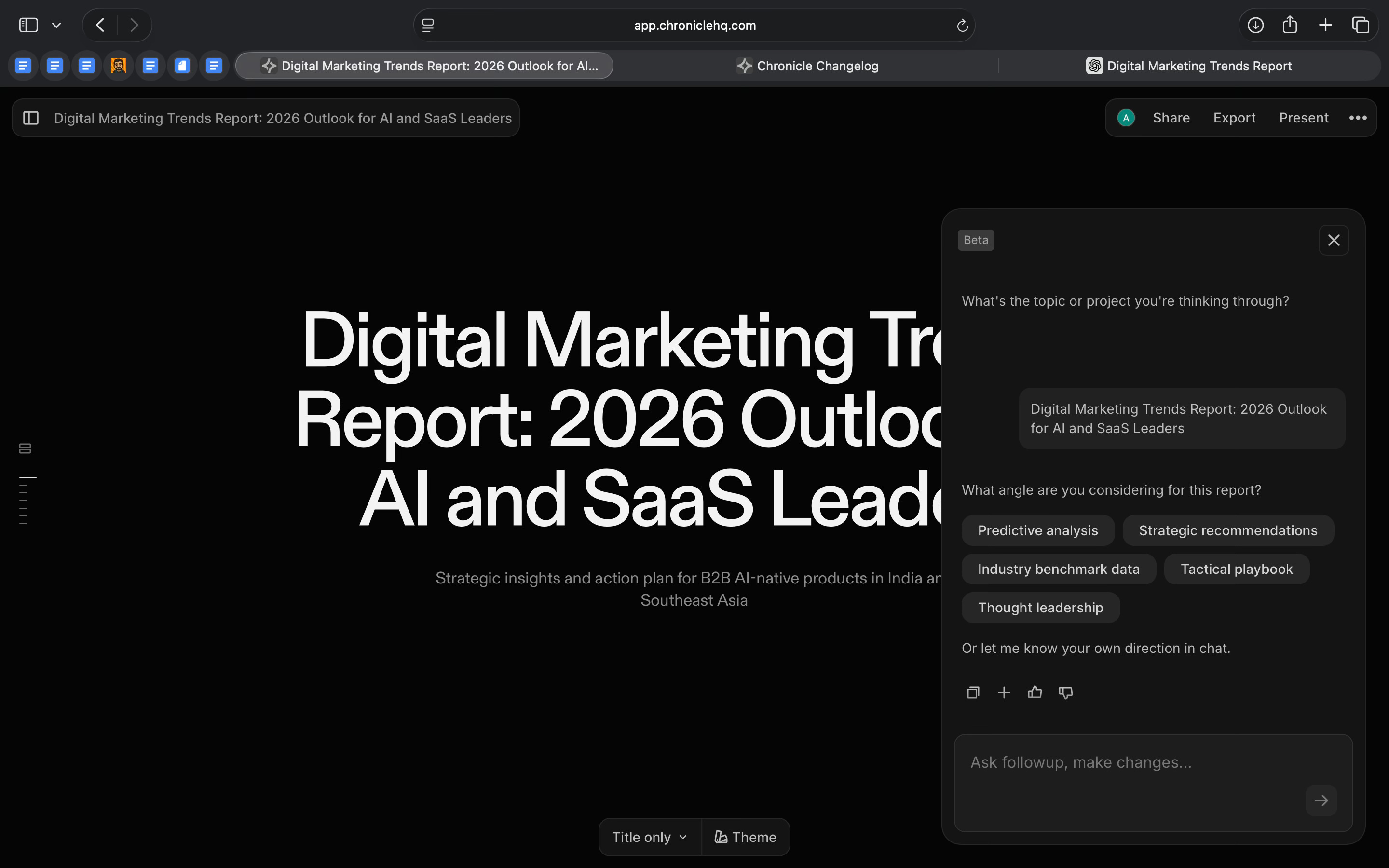
To test it further, I deliberately pushed it in multiple directions. In response, it pushed back. It suggested narrowing the scope instead of creating a long, unfocused deck.
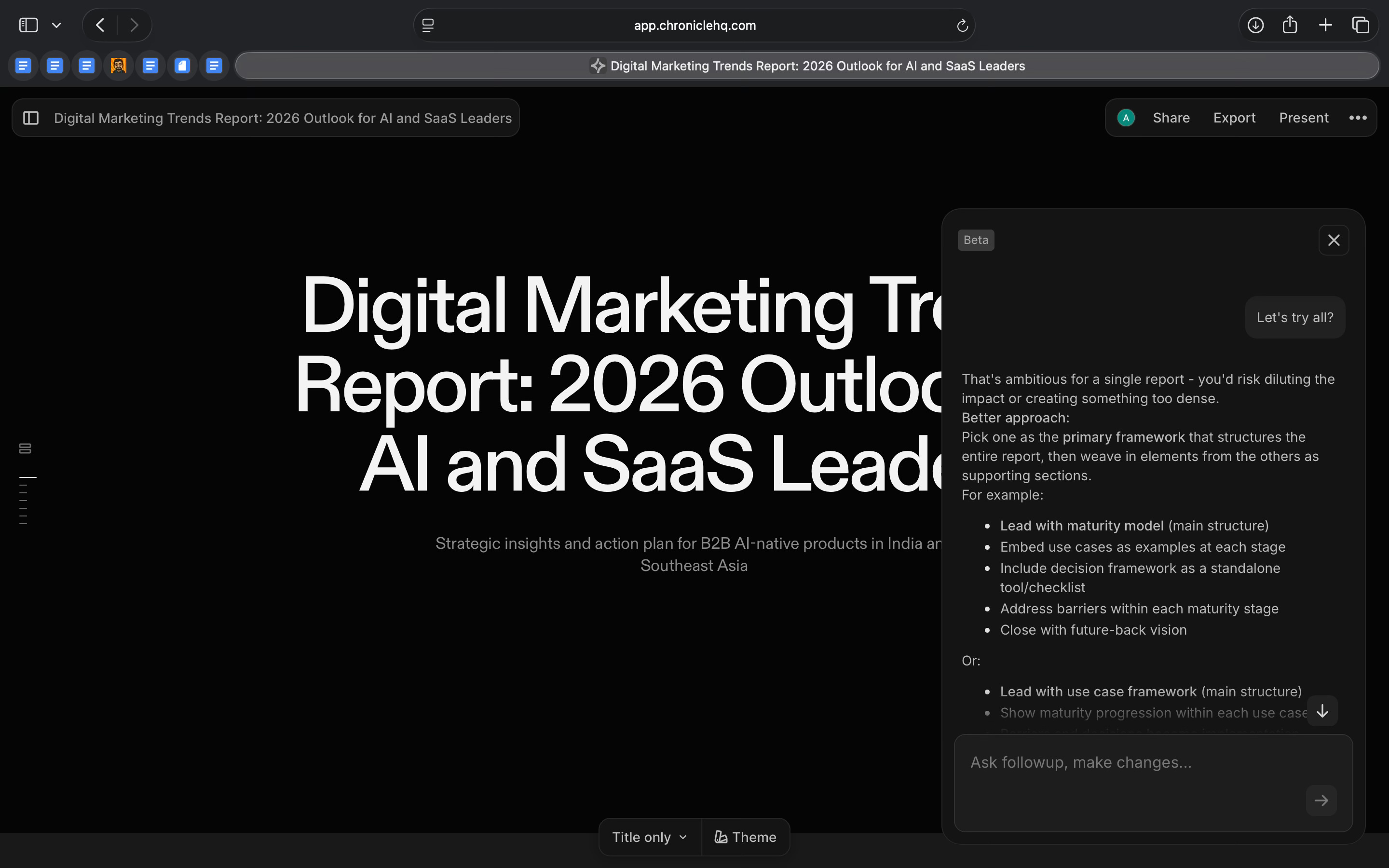
This is not something I usually see with AI tools like Gamma and Beautiful.ai. Most of them either agree or expand whatever you give them. What I liked about Chronicle was how it reshaped messy input, whether it was a rough document or a broad prompt, into something more coherent before moving into the design stage.
Where it works well
Chronicle works well when you are building or refining a presentation.
The editor gives you flexibility without forcing you to design everything manually. You can add different types of content directly into a slide or chapter, including text, media, cards, embeds, diagrams, sticky notes, and connectors. This makes it easier to structure information visually without designing every slide from scratch.
It also provides ready-made deck templates across use cases like strategy, planning, reports, pitches, and reviews. You can start with one to get structure quickly, or build from scratch and apply structure later. You can use preset themes or create your own brand theme by defining colours, fonts, and styling. Once a theme is created, it can be saved and reused across presentations, which keeps decks consistent without extra effort.
You can also use the AI throughout the process. You can ask it to generate slides, expand a section, or rework content at any point, instead of being limited to the starting step.
Where it falls short
Chronicle is useful, but it’s not something I’d trust on autopilot.
The AI helps, but it isn’t consistent enough to rely on without checking. Some sections come out fine, others feel generic or miss context, especially when the input is complex. I ended up reviewing and editing most of what the AI generated.
Imports are also uneven. If you’re pasting content with tables, dense text, or uneven structure, the layout doesn’t always translate cleanly. You often have to tidy things up manually.
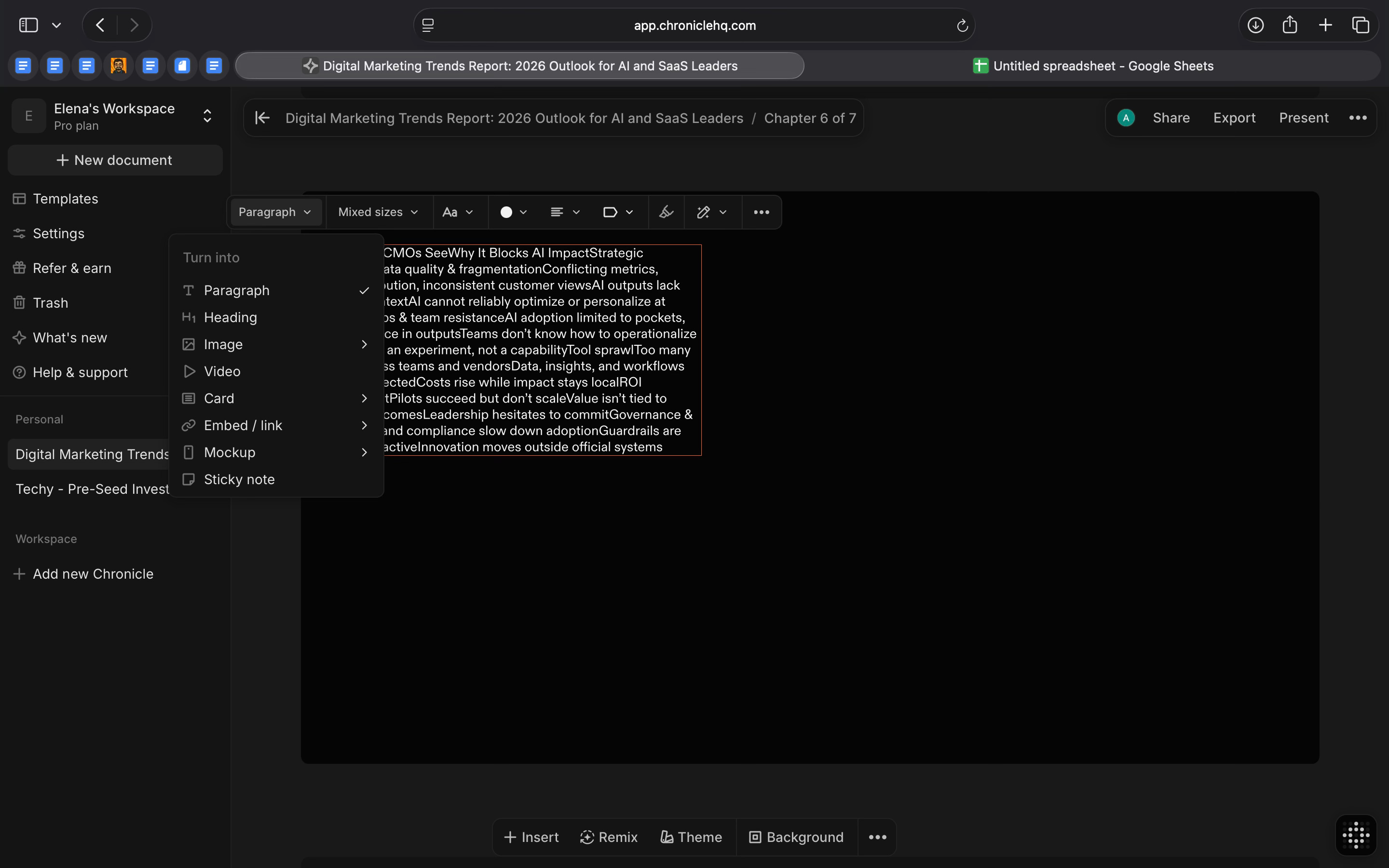
There are gaps in the workflow as well. If you refresh the page or start a new session, you can’t return to the same AI conversation. There’s no chat history, which makes it harder to iterate over time.
Chronicle is also not very practical for editing on smaller screens or making quick changes on the go.
And if you’re working on larger decks, you can run out of tokens quickly unless you’re on a paid plan.
What makes it different
Chronicle treats structure as the core problem. That’s also where its trade-offs show up.
If you already know what you want to say and just want to turn it into slides quickly, other tools can feel faster. Tools like Gamma and Tome optimize for speed and flexibility. You give them a prompt and they generate something immediately, even if the output needs reshaping later.
Chronicle is more restrictive, but that restriction prevents things from sprawling too easily.
Compared to Beautiful.ai, Chronicle offers more control over structure but less visual polish by default. Beautiful.ai makes slides look good with minimal effort. Chronicle’s output is clean, but it relies more on the quality of the underlying content to land well.
Against tools like Pitch or traditional slide editors, Chronicle feels less mature. Pitch has stronger collaboration and integrations and fits more easily into existing workflows. Chronicle’s approach is more opinionated, which can be useful, but also makes it harder to slot into every team setup.
My take
I find Chronicle useful when I’m still figuring things out.
If the content is messy and the structure isn’t clear, it helps slow things down and organise thinking before turning it into slides. That’s where it adds value.
But if I already know exactly what I want to say and just need slides quickly, I’d probably reach for something like Gamma or Beautiful.ai.
AI in Product
Searchable: SEO Tool Built for an AI-Driven Search World
TL;DR
Searchable is an SEO and AI visibility platform that helps teams understand how their content performs both on traditional search engines and inside AI-generated answers.
Basic details
Pricing: No free plan. Paid plans start at $50 per month
Best for: SEO, product marketing, growth, and content teams adapting their search strategy to include AI-driven discovery
Use cases: Auditing site and content quality, identifying keyword and content gaps, tracking brand visibility in AI answers, understanding competitor presence across SEO and AEO
Search has started to change, but most product and marketing teams are still measuring it the old way.
Traffic, rankings, and keywords made sense when people searched through links. Now, a growing share of discovery happens inside AI tools, where users get answers directly and brands either show up or don’t, without a click ever happening.
Searchable helps teams understand how their brand appears inside AI-generated answers across tools like ChatGPT, Perplexity, and Google’s AI results. Instead of focusing only on rankings and traffic, it tracks prompts, citations, and visibility inside AI responses, and then helps teams act on that information.
What’s interesting
I’ve looked at tools in this space before, including Radix, which focuses specifically on tracking how brands appear inside AI-generated answers. Radix is useful for answering a narrow question: are we being mentioned, and where?
Searchable approaches this from a wider angle.
I tried Searchable by running a homepage audit for Kaily.ai, an AI agent that goes beyond the chatbox.
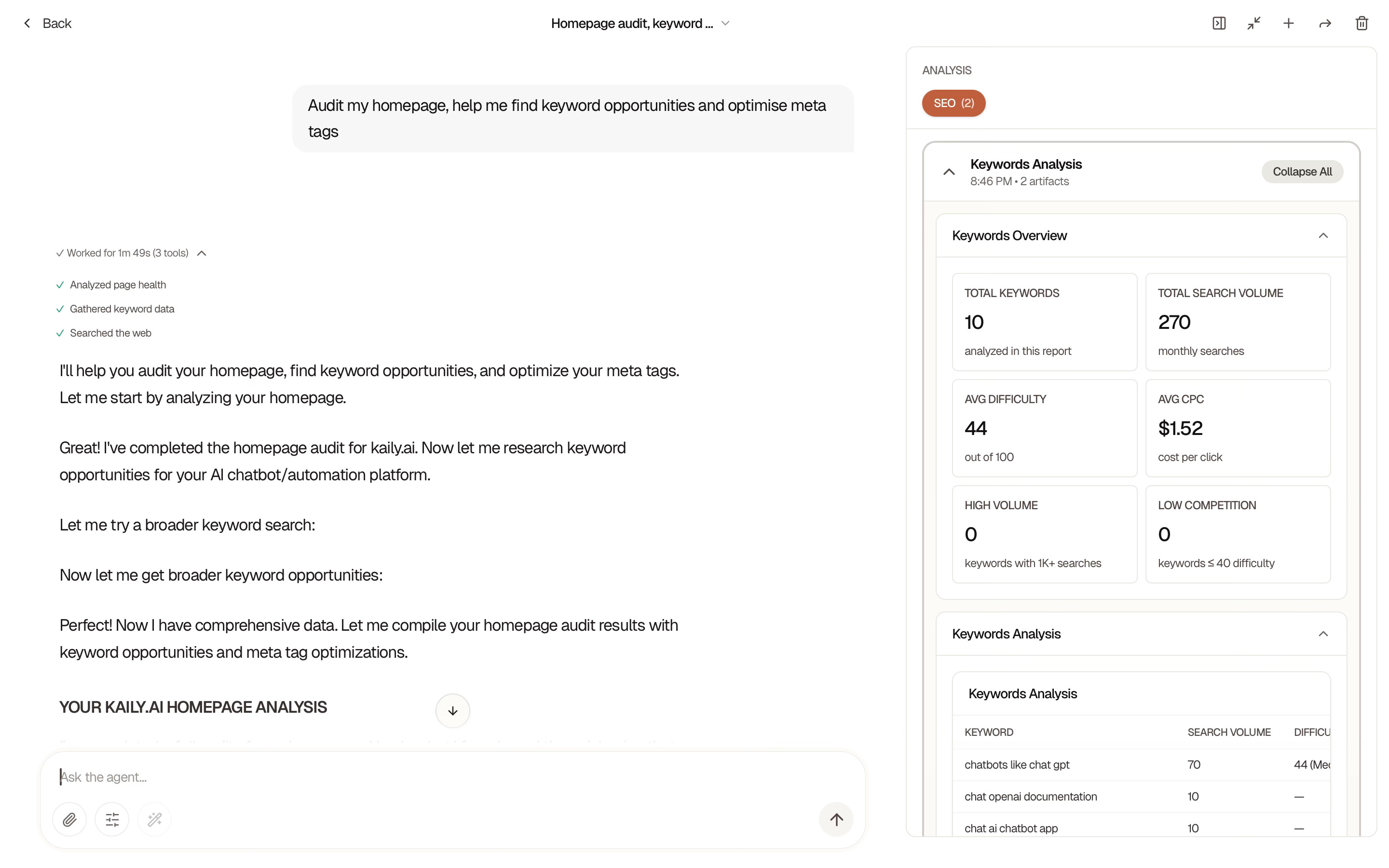
Instead of starting with AI mentions, the product starts with the basics. It breaks the page down into technical health, content quality, and AI visibility, and then ranks issues by severity. That structure made it easier to see what actually mattered, rather than treating every issue as equally urgent.
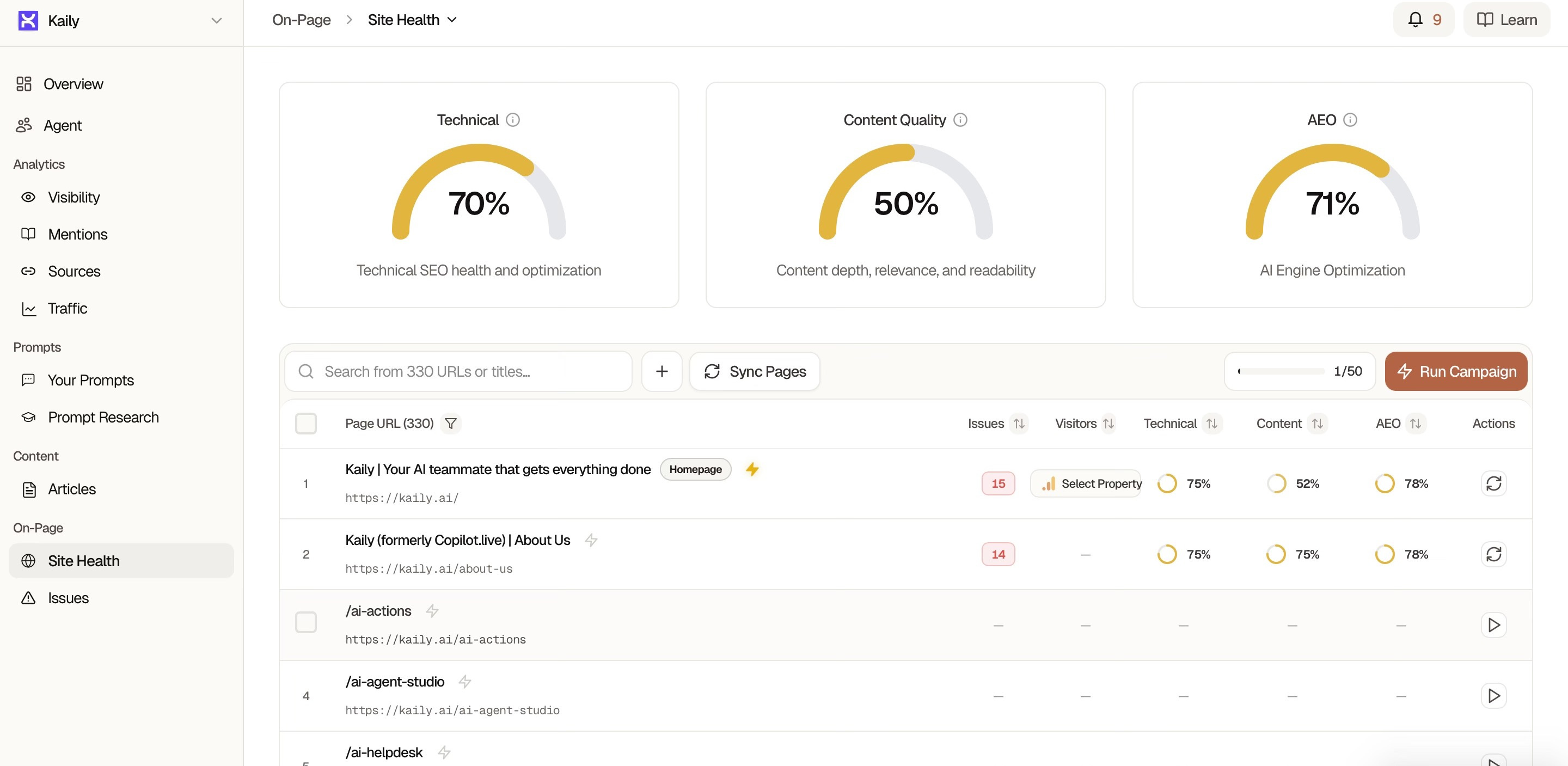
The feedback was also more concrete than I expected. When Searchable flagged the value proposition as unclear, it didn’t just label it as a problem. It explained what the page currently communicates, why that message doesn’t land clearly, and how it could be rewritten to be more direct.
For keyword analysis, instead of listing keywords in isolation, it grouped them by intent and use case. Each group came with context around why it mattered and what kind of content would realistically support it. That made the output feel closer to a content plan than a keyword report.
Where Searchable really differs from Radix is in how it treats AI visibility. Instead of showing mentions in isolation, it connects prompts, pages, competitors, and sources. You can see which queries surface your brand in AI-generated answers across OpenAI, Perplexity, and Google’s AI results, and which competitors show up instead, with clear links back to why that might be happening.
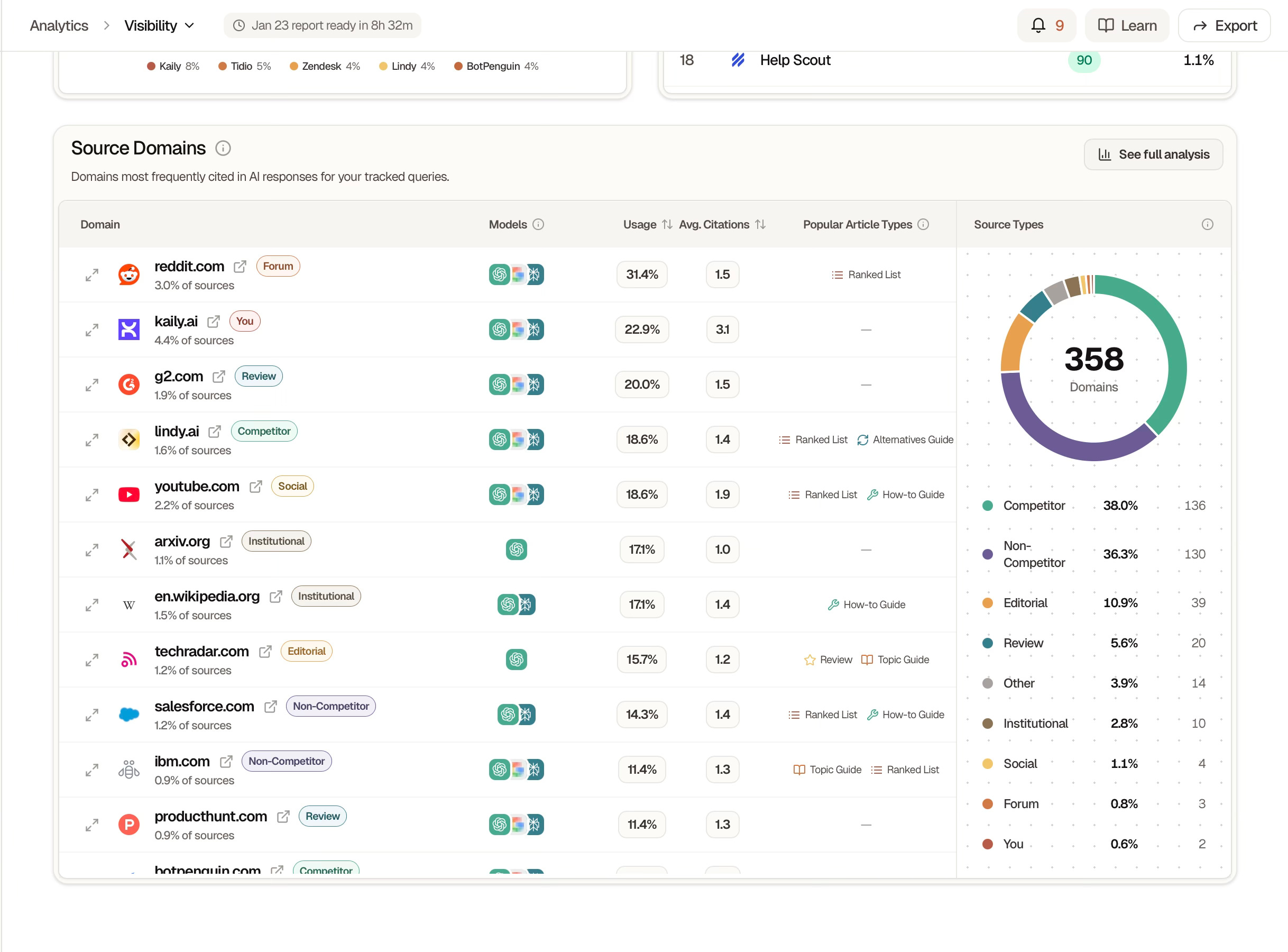
What stood out to me is that Searchable doesn’t frame AI discovery as a separate, future-facing problem. It treats it as a downstream outcome of content quality, structure, and distribution, building on familiar SEO workflows rather than replacing them.
Where it works well
Searchable is strong at bringing different signals together in one place. Prompts, visibility trends, mentions, competitors, sources, issues, and recommendations all live inside the same workflow. You don’t have to jump between tools to understand what’s happening and what to do next.
It’s also useful for ongoing monitoring. Once prompts, competitors, and domains are set up, you can track changes over time without rerunning everything manually. Visibility trends, share of voice shifts, and new mentions become easier to spot. This makes it helpful not just for one-time audits, but for keeping an eye on how things evolve.
Searchable works well for product marketing, growth, SEO, and content teams who are already doing search or planning content and want to understand how that effort translates into AI-driven discovery. It’s less about replacing existing workflows and more about adding a layer of clarity on top of them.
Where it falls short
Searchable brings a lot of information into one place, but it takes time to understand how everything connects.
Compared to Radix, Searchable is more complex and slower to fully understand. Radix is easier to adopt if your primary goal is monitoring AI mentions and citations. You can get value from it quickly without needing to interpret multiple layers of data.
Searchable, on the other hand, asks you to do more synthesis. It brings audits, keywords, prompts, competitors, sources, and recommendations into one place, but it doesn’t always tell you exactly what to do next. You still need experience and judgment to decide which issues are worth acting on.
Some of the gaps Searchable highlights are also not fully in your control. AI systems rely heavily on third-party sites, forums, and comparison pages. While Searchable makes these dependencies visible and explains their impact, improving your position often requires work outside the tool and over a longer time horizon.
Where I land is this: Radix is clearer and faster if you want a focused view of AI mentions. Searchable is more useful if you want to understand how SEO, content quality, and AI visibility connect. The trade-off is simplicity versus context.
What makes it different
Searchable is built around the idea that SEO and AI visibility are no longer separate problems.
Most SEO tools still focus on rankings, traffic, and clicks. Newer AEO tools, like Radix, Otterly, and Promptwatch, focus on whether your brand appears in AI answers. Searchable tries to connect these two worlds instead of picking one.
Instead of stopping at rankings or keywords, it shows how that SEO foundation translates into visibility inside AI-generated answers. You can see which prompts surface your brand, which competitors appear instead, and which sources AI systems rely on.
Compared to pure AEO tools like Otterly, Promptwatch, or Peec AI, Searchable goes further upstream. It doesn’t just monitor mentions. It tries to explain why those mentions exist and what you could change on your site or in your content to influence them.
My take
Searchable is useful when you’re trying to understand how your SEO work shows up in an AI-driven world.
It helps connect familiar things like content quality, keywords, and technical health with a newer question: whether your product is actually part of AI-generated answers. That makes it more practical than tools that only track mentions, and more forward-looking than tools that only track rankings.
For me, Searchable is the stronger choice over Radix. It’s more comprehensive and gives me enough context to move from insight to action. I’d use it to decide what to fix, what to create, and where to focus next, especially as AI-driven discovery becomes increasingly hard to ignore.
AI in Design
Riverside: Recording and Production Tool for Podcasts and Video Content
TL;DR
Riverside is a recording and production platform that helps creators and teams record high-quality audio and video, then turn those recordings into publishable content in the same workspace.
Basic details
Pricing: Free plan available; paid plans start with a 14 day trial and then $29 per month
Best for: Podcasters, video creators, and marketing teams producing content regularly
Use cases: Recording remote podcasts and interviews, editing audio and video, creating clips and captions, repurposing long recordings into short-form content
If you’ve worked on a podcast or a marketing video, you know recording isn’t the hardest part. The real work begins after.
Editing the episode. Pulling clips. Adding captions. Reformatting for different platforms. What starts as one recording quickly turns into a long production checklist.
Riverside is built for that entire workflow.
It lets you record high-quality audio and video with remote guests, and then edit and prepare that recording for publishing in the same place. You can cut and arrange the recording, create clips, add layouts and branding, generate captions, and export different versions without moving files between tools.
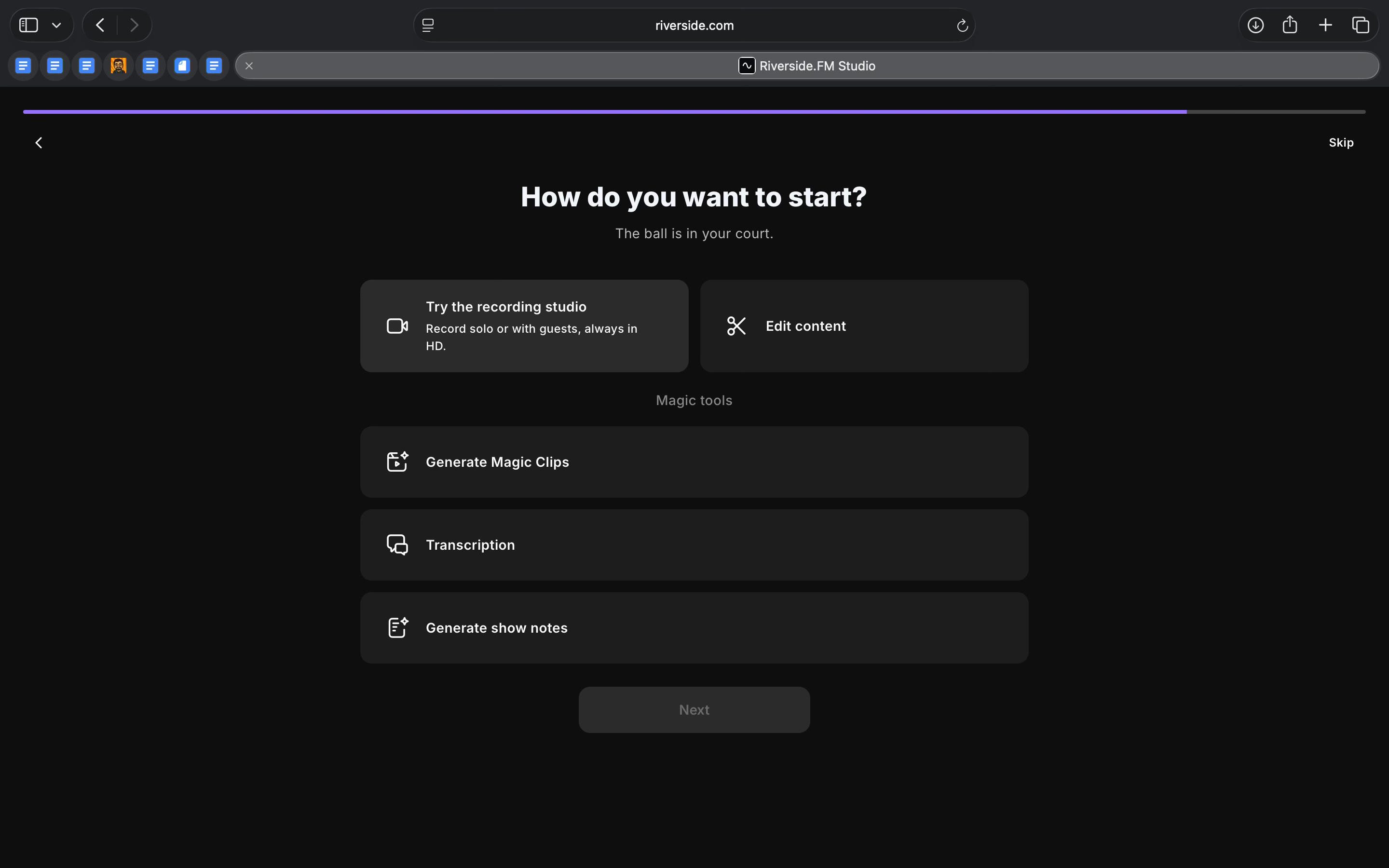
Instead of treating recording, editing, and design as separate steps, Riverside brings them together in one product. You record once and use that recording to create multiple pieces of content.
What’s interesting
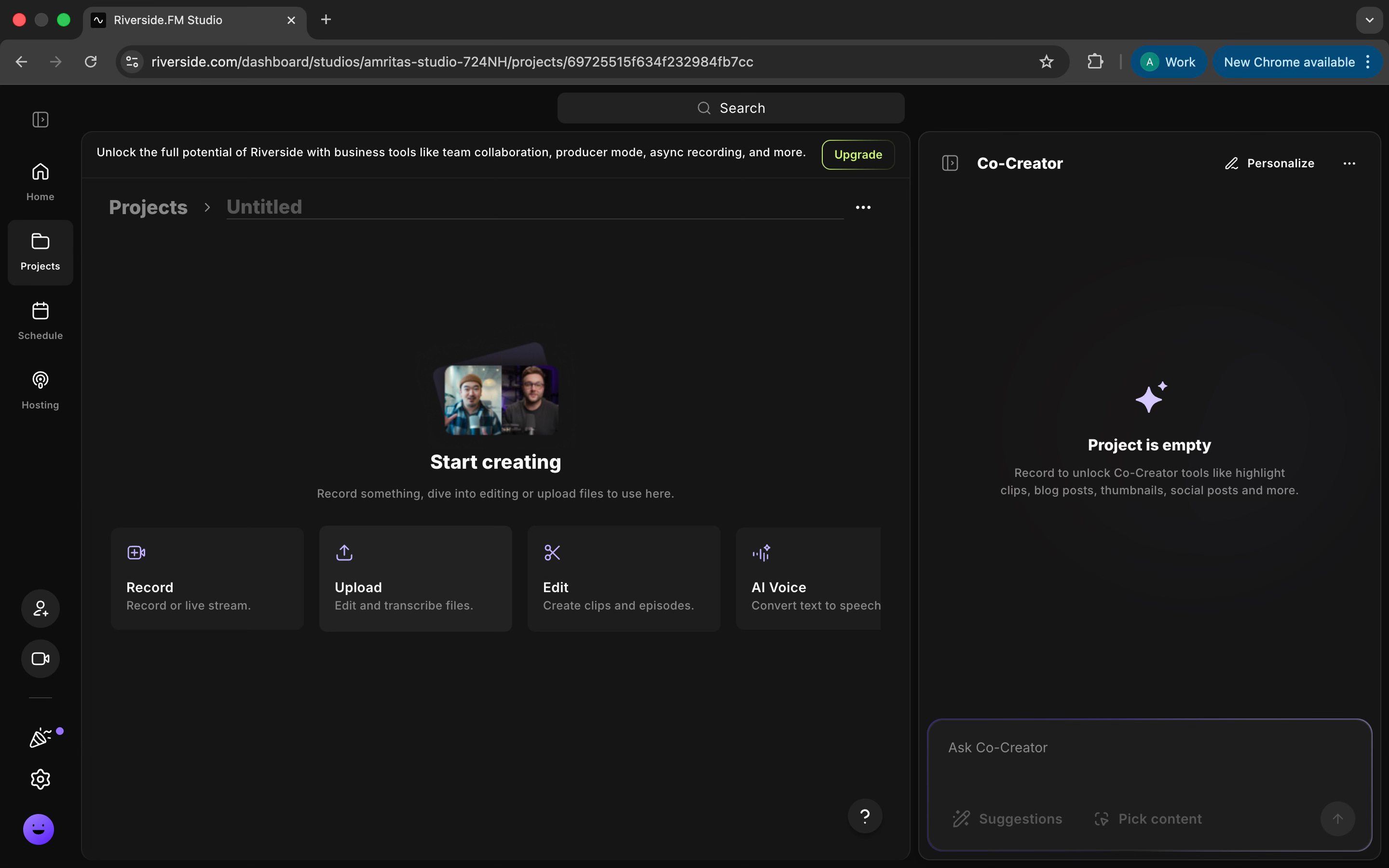
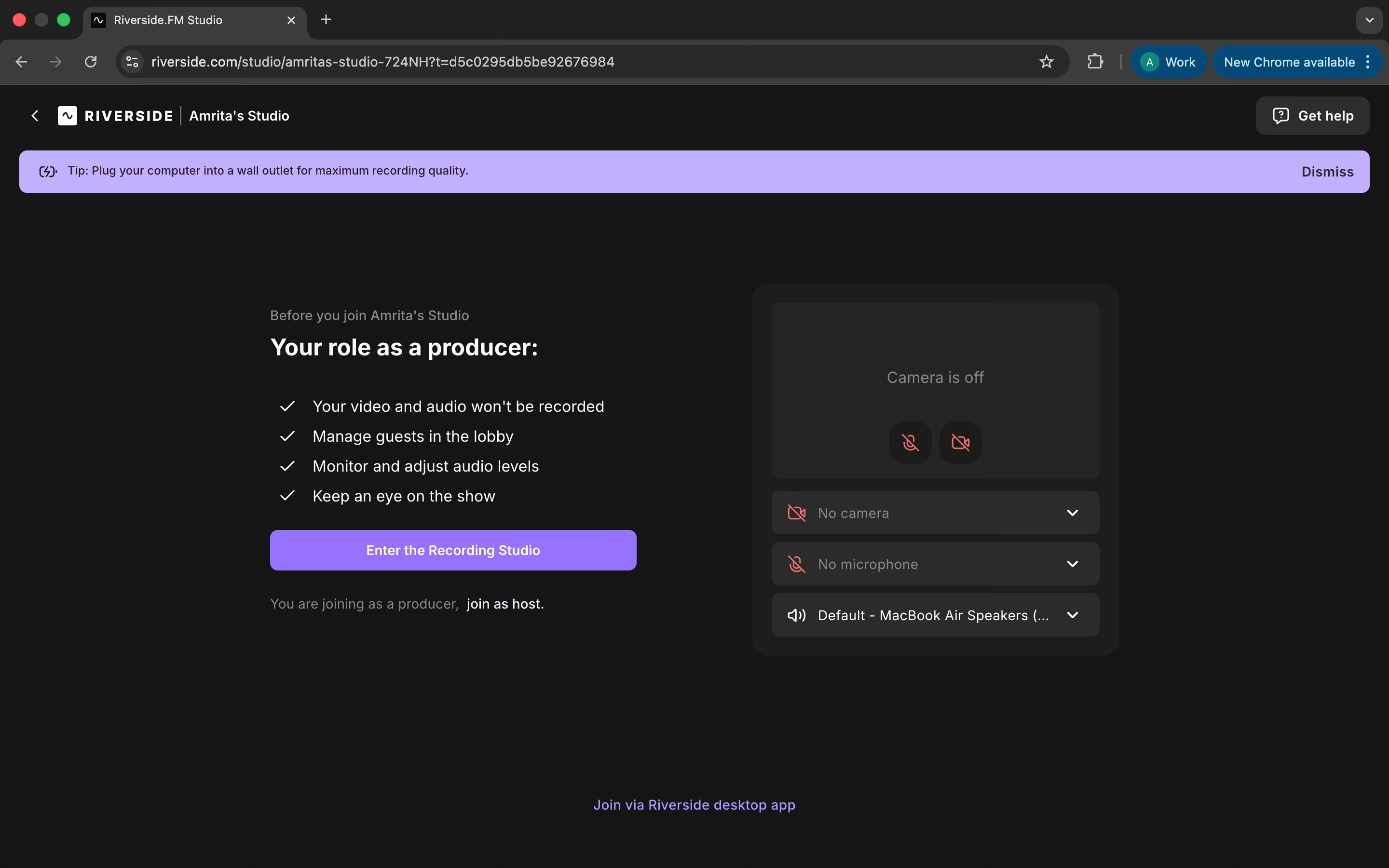
What stood out to me about Riverside is that once a session ended, I didn’t have to move to another tool or figure out what to do next. The recording stayed in the same workspace, already laid out and ready to edit. That continuity made the whole process feel lighter than I expected.
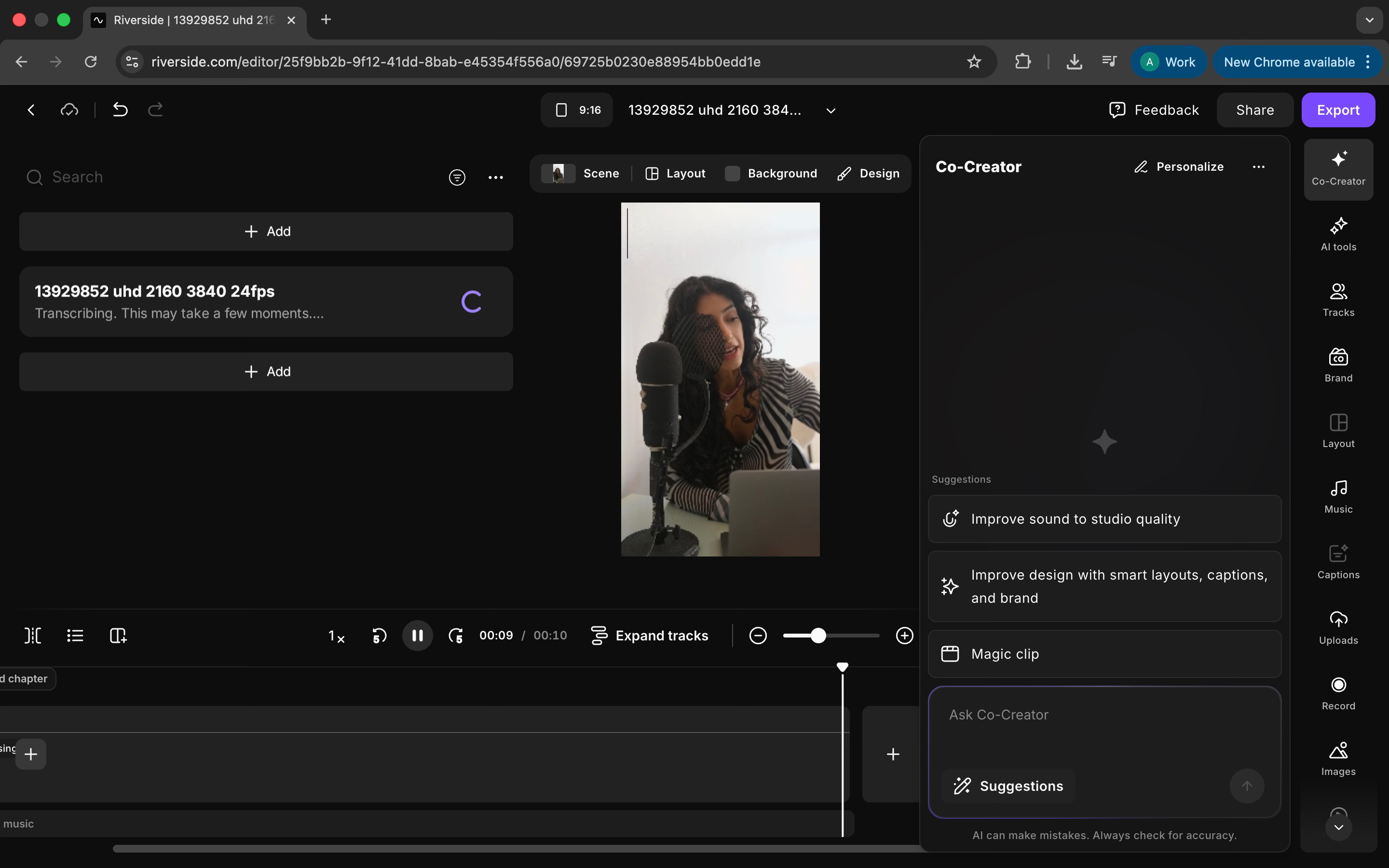
I found the text-based editing especially useful. Instead of scrubbing through a timeline, I could edit by cutting words directly from the transcript. For longer conversations, this made cleaning things up much faster and less tiring.
I also liked the Magic Clips feature. I didn’t need to export sections and rework them elsewhere. I could highlight moments, turn them into short clips, change layouts, add captions, and adjust framing, all within the same flow.
Where it works well
Riverside works well when you’re creating content regularly without a dedicated production or editing team.
It’s especially useful for teams that need to move quickly after recording. Being able to clean up audio, edit through text, create clips, add captions, and apply basic branding in the same place saves time. I didn’t have to pass files between tools or rethink the workflow for each output.
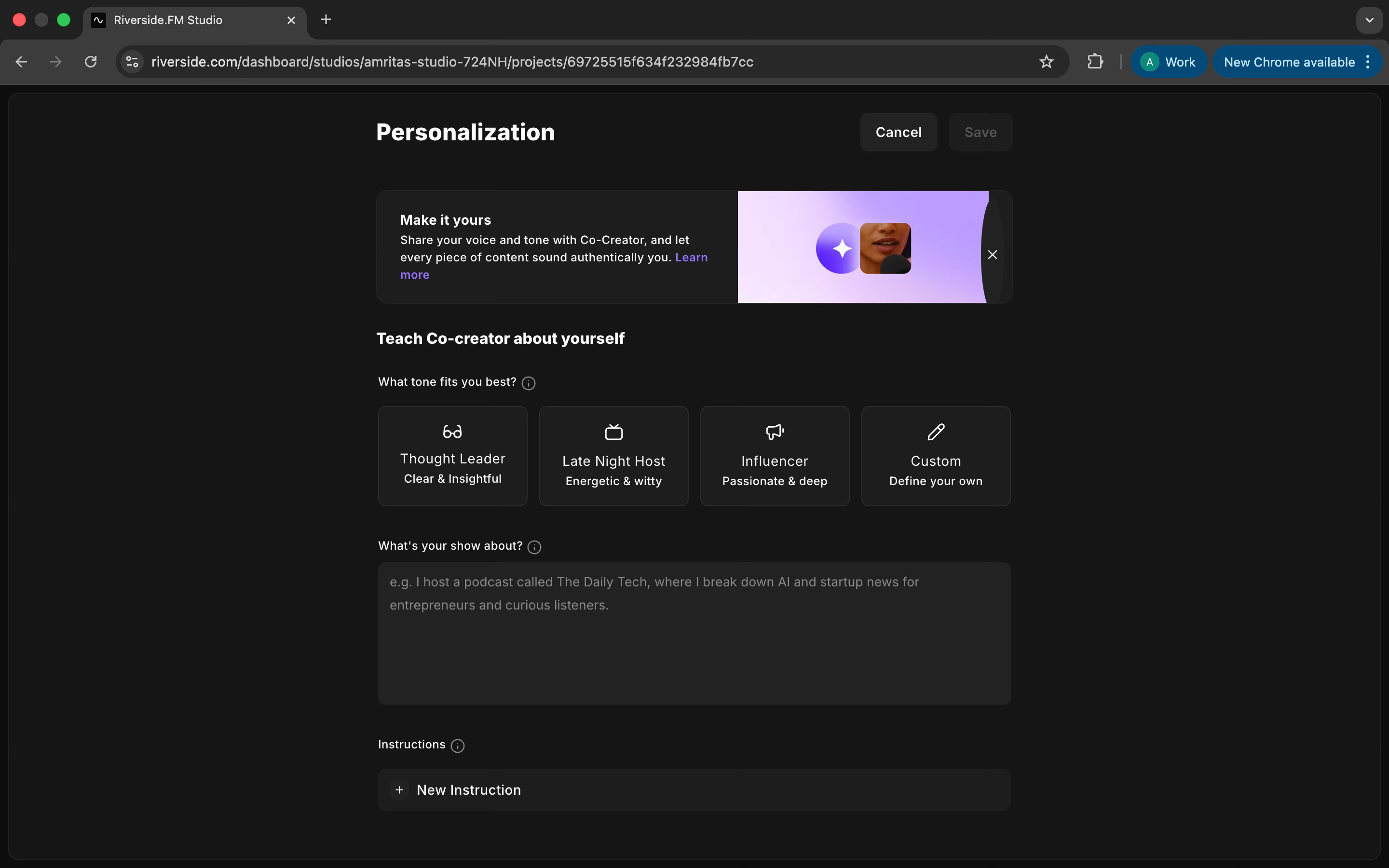
Riverside is also a good fit for marketing teams that need one recording to travel across multiple formats. Long-form episodes, short clips, social videos, and branded snippets can all come from the same session without starting from scratch each time.
Where I found it particularly helpful was in reducing handoffs. Producers, hosts, and editors can work in the same environment, which keeps things simpler. You don’t need a full production setup to get something out the door.
Where it falls short
Riverside works well for many common workflows, but it has clear limits.
The editor is useful, but it doesn’t replace a full editing tool. I could do basic trims, cleanups, captions, and clips comfortably, but for more detailed audio or video work, it starts to feel restrictive. If you’re used to deeper control over edits, you’ll eventually want to move parts of the work elsewhere.
The AI features help speed things up, but they still need review. Captions, summaries, and clips are a good starting point, not a finished output. I had to check and adjust most of what the AI generated before using it.
Recording itself is generally reliable, especially with local recording, but the experience isn’t completely seamless. Bringing in guests, managing connections, or handling edge cases can still introduce small interruptions during sessions, even if the final files are preserved.
What makes it different
Riverside feels different when you compare it to the tools people actually reach for when they need remote recording and production, not just one part of the workflow.
Compared to SquadCast or Zencastr, which focus primarily on capturing remote audio and video, Riverside goes further. With those tools, you record and then export files to work on them elsewhere. With Riverside, the recording stays in the same workspace where you edit and prepare content. You record once, and when the session ends, you’re already in a production environment rather than facing a separate handoff.
Compared to Descript, the difference shows up in how the product is oriented. Descript is an editor-first tool, with recording as one part of the workflow. Riverside is capture-first. Everything else builds out from the recording session, and the AI tools are woven into that flow instead of feeling like separate modes.
For me, what makes Riverside different is this sense of workflow continuity. Capture, edit, and first-pass production all happen in one place. You don’t record in one tool, edit in another, generate clips in a third, and caption somewhere else. It’s all connected.
My take
Riverside is useful when you’re creating content regularly and don’t want the process to fall apart after recording.
It helps you move from a finished recording to usable content without jumping between tools. Editing, clips, captions, and basic design all happen in one place, which makes the workflow easier to manage.
It’s not meant for heavy editing or creative experimentation, and that’s fine. What it does well is help teams turn recordings into publishable content consistently.
I’d rely on Riverside regularly and not something I’d look at occasionally.
In the Spotlight
Recommended watch: SEO vs AEO in 2026: The New Rules for Winning on Google and AI Models
Ethan Smith breaks down a calmer view of the “SEO is dead” narrative. His core point is that traditional search traffic has stayed roughly flat, while LLM-driven discovery is growing fast but remains much smaller than Google. The practical takeaway is to treat SEO and answer engine optimization as one blended strategy, with a few AEO-specific moves like targeting long, specific questions and earning off-site mentions in the exact URLs that show up in citations.
The pie is increasing in size. It’s not that it’s shifting from search to LLMs. It’s that there’s an increased usage of both.
– Ethan Smith • ~5:08
This Week in AI
A quick roundup of stories shaping how AI and AI agents are evolving across industries
Meta launches AI Glasses Impact Grants, a program funding research and projects that use AI-powered glasses for social and assistive applications.
Spotify rolls out AI-prompted playlists for Premium users, enabling playlist creation through natural-language prompts in the US and Canada.
OpenAI publishes its approach to advertising, explaining how ads could support broader access to its AI products while prioritising user trust and safety.
AI Out of Office
AI Fynds
A curated mix of AI tools that make work more efficient and creativity more accessible.
Rewarx → An AI product photography and virtual studio that turns simple snapshots into high-quality 4K images and commercial video assets for ecommerce and marketing.
PDF Beauty → An AI-powered PDF to editable PPTX converter that rebuilds static slides into fully editable PowerPoint files while preserving layout and design.
AI Video Generator → An AI video generation tool for automating video creation and adapting assets across workflows.
Closing Notes
That’s it for this edition of AI Fyndings.
With Chronicle slowing teams down to clarify structure before slides, Searchable helping teams understand how their work shows up inside AI-driven discovery, and Riverside keeping recording and production in one continuous flow, this week pointed to a common theme. AI is increasingly shaping the process around the work, not just the output, guiding how ideas are formed, refined, and carried through.
Thanks for reading. See you next week with more tools, patterns, and ideas that show how AI is steadily changing how we work across business, product, and design.
With love,
Elena Gracia
AI Marketer, Fynd
The Searchable vs Radix split is the useful part. Tracking mentions is easy; connecting them back to page quality and source pages is the actual work. Same pattern as Chronicle: the tool that forces structure first is slower, but you spend less time cleaning up generic output.
Great insights on how AI is transforming presentations, content discovery, and production workflows. Really liked the practical examples and the way the article connects AI tools with real business and creative use cases. Very informative read!